SVAT ELECTRONICS
now you can see
CLEARVU2 13
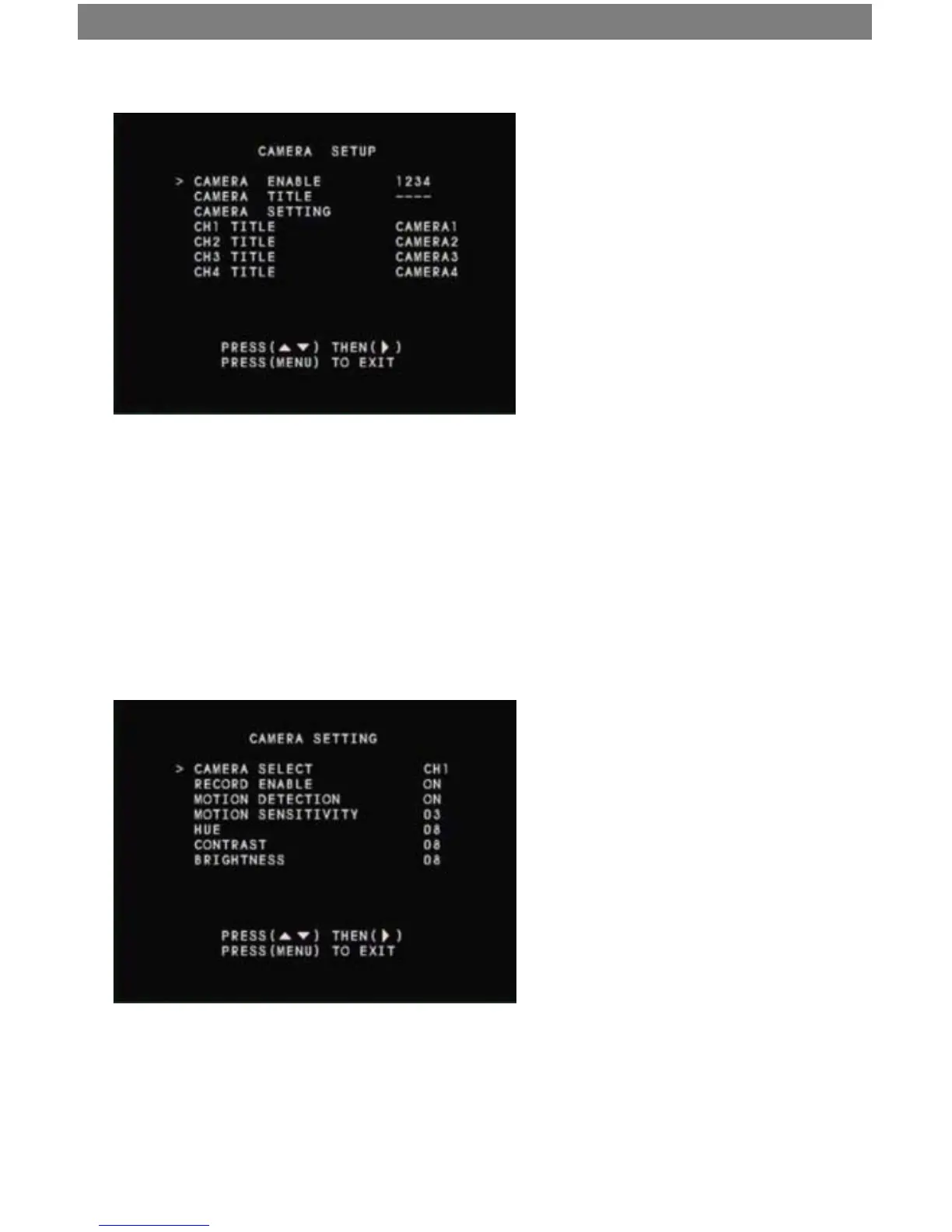
Camera Setup
Camera Enable
This option allows you to enable/disable camera channels. Use the ▲/1▼/3 buttons to select the camera channel
you want to enable/disable. Then press the ►/4 button to enable or disable that camera channel.
Camera Title
This option allows you to enable/disable the camera title display. If you use custom camera titles, you must enable
camera title display for them to appear. Use the ▲/1 &▼/3 buttons to select the camera title you want to enable/
disable. Then press the ►/4 button to enable or disable that camera title.
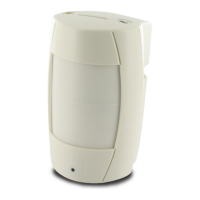
Camera Setting
This submenu allows you to adjust options
for each camera:
1. Camera Select - Use the ►/4 to select the
camera channel to which you would like to
make changes (CH 1-4).
2. Record Enable - Press ►/4 to switch
recording on/o for the selected camera
channel.
3. Motion Detection - Press ►/4 to switch
motion detection on/o for the selected
camera channel.



 To Next Page