5. Fuel Injection System
5-55
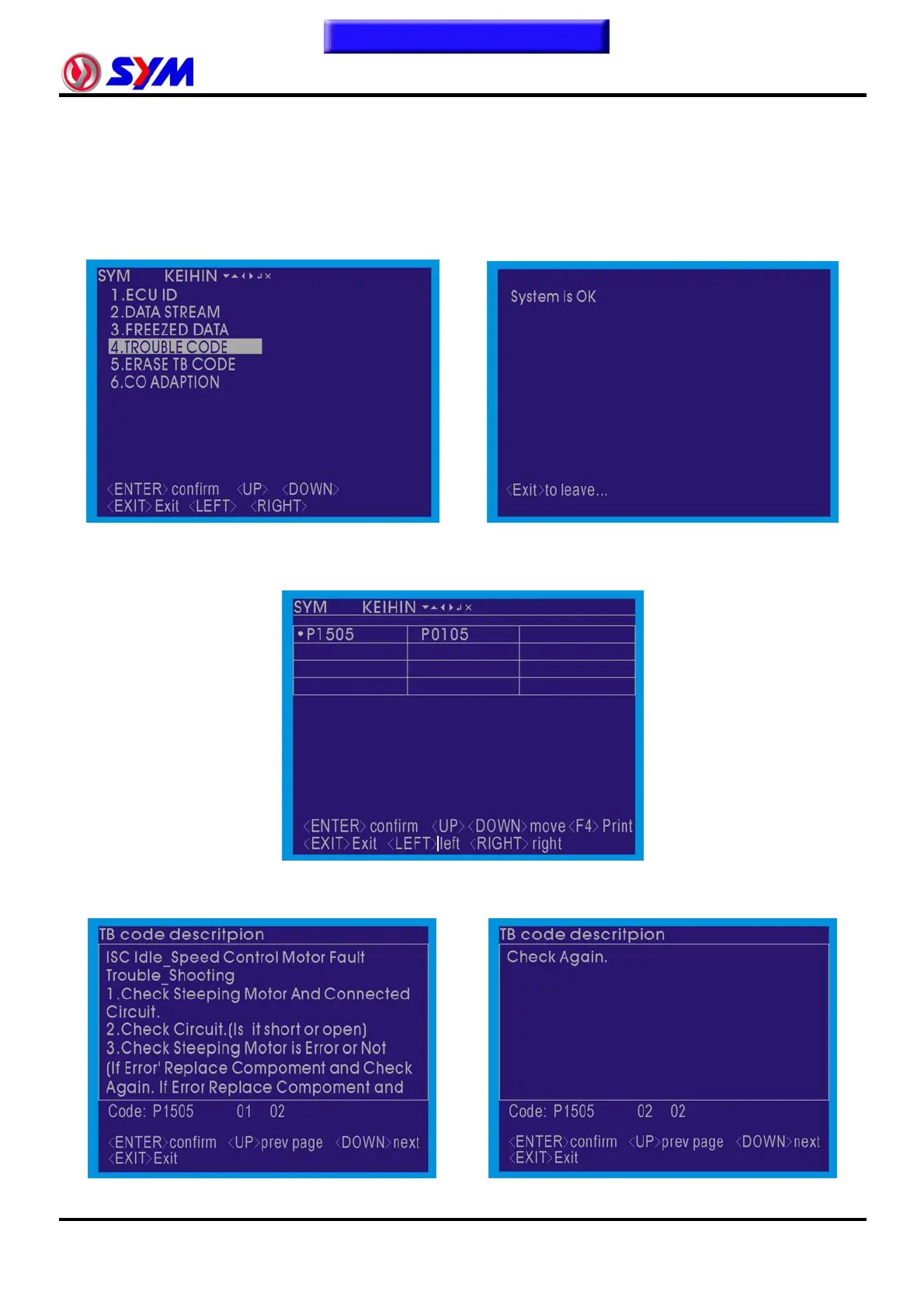
4. TROUBLE CODE
In the functional directory select "TROUBLE CODE" project, press the "ENTER" button
implementation, the message began to read fault.
Fault Code: electronic injection system that had happened fault of the message (whether or not
completion of repair).
Without any fault is that showing "System is OK".
Press the "EXIT" button, the function can return to the directory screen.
If the system has faulty code, that is showing the fault code, that can be used "◄ left" and "right ►" or
"▲" "▼" button selected the fault code (selected before the code "y" tags) that, press the "ENTER"
button, the code can be read descriptions and fault handling.
Fault code in the note and treatment of the pages, if the first one page did End, they can press the
"▲" "▼" button to turn the pages to read all that.
To this chapter contents



 To Next Page