MC3000 User Guide3-6
When switching between Wizard Mode and Explorer Mode, all active connections are closed.
The following steps provide an example for using the Wizard to services for remote devices.
1. Tap the Bluetooth icon and select Show BTExplorer. The BTExplorer window appears.
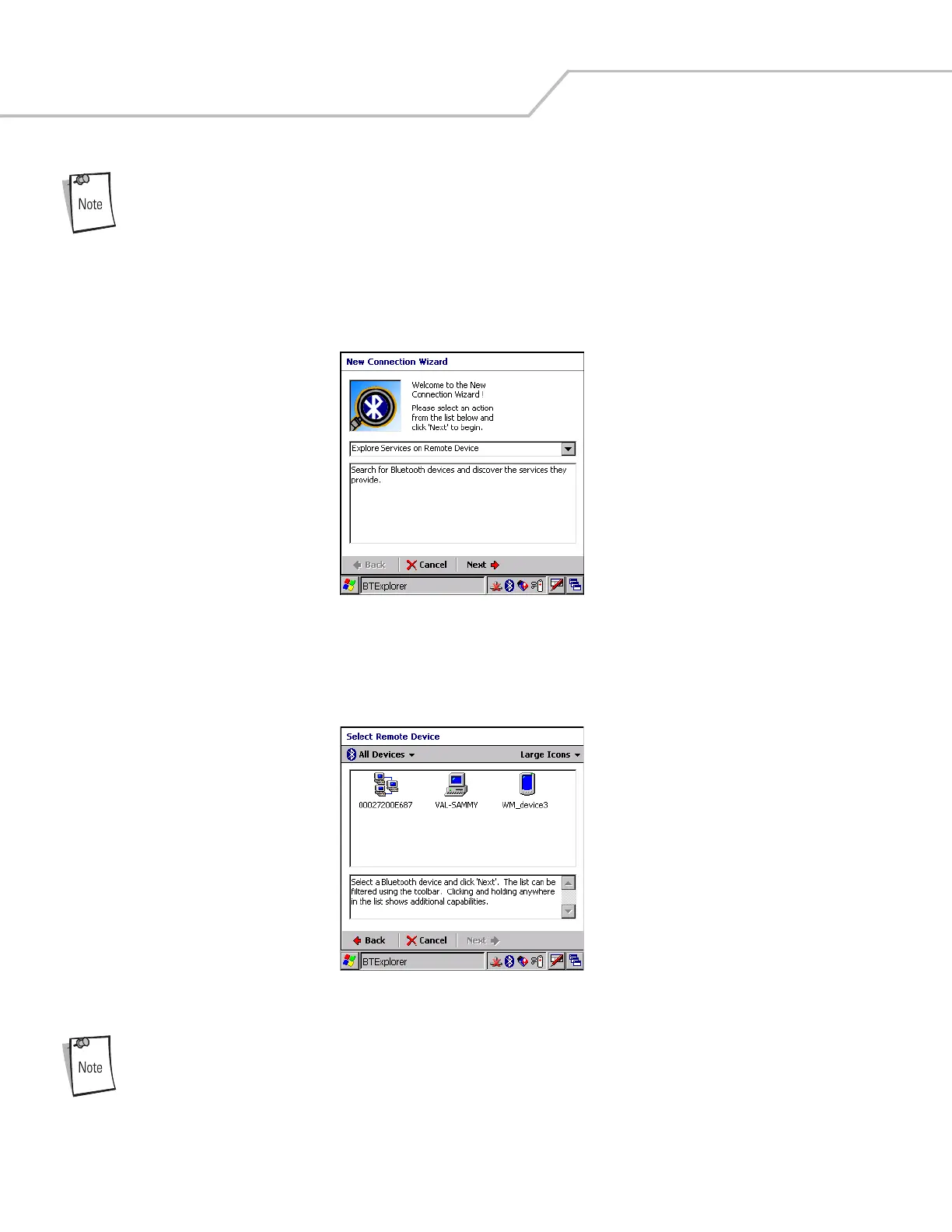
2. Tap File - New Connection. The New Connection Wizard window appears.
Figure 3-3. New Connection Wizard Window
3. Select an action from the drop-down list. In this example, Explore Services on Remote Device is selected.
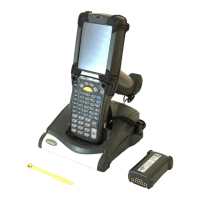
4. Tap Next. The BTExplorer searches for Bluetooth devices in the area and displays the devices in the Select Remote Device
window.
Figure 3-4. Select Remote Device Window
Devices discovered previously are listed to save time. To start a new device discovery, tap and hold and select
Discover Devices from the menu.


 To Next Page