MC3000 User Guide3-28
Security Tab
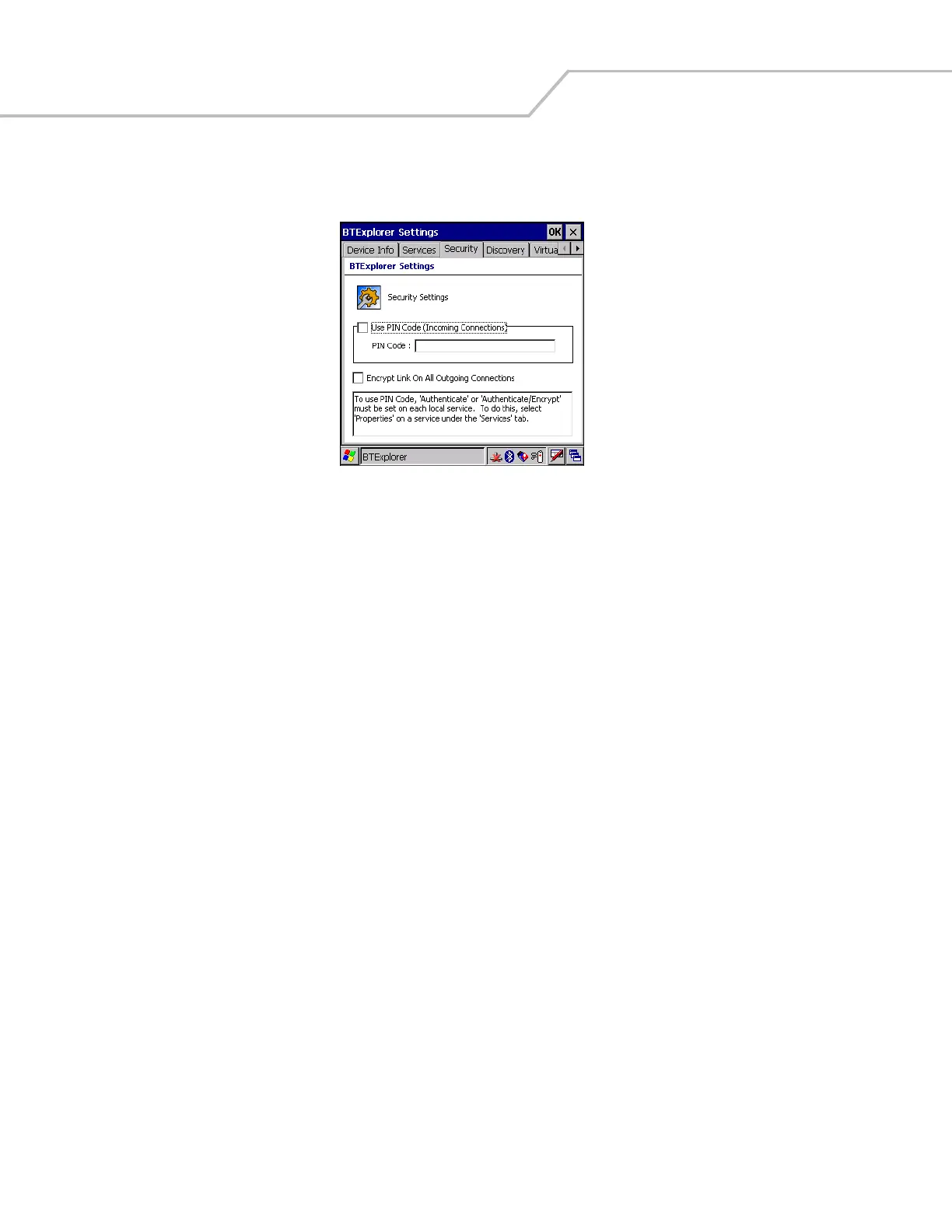
To adjust the security settings for an individual service, select the Services tab first, then select the individual service, then Properties.
Figure 3-36. BTExplorer Settings - Security Tab
Use PIN Code (Incoming Connecting) Select for automatic use of the PIN code entered in the PIN Code text box. It is recommended
not to use this automatic PIN code feature. See Security on page 3-3 for more information.
PIN Code Enter the PIN code.
Encrypt Link On All Outgoing Connections Select to enable or disable encryption. Use encryption whenever possible.


 To Next Page