Using Bluetooth 3-21
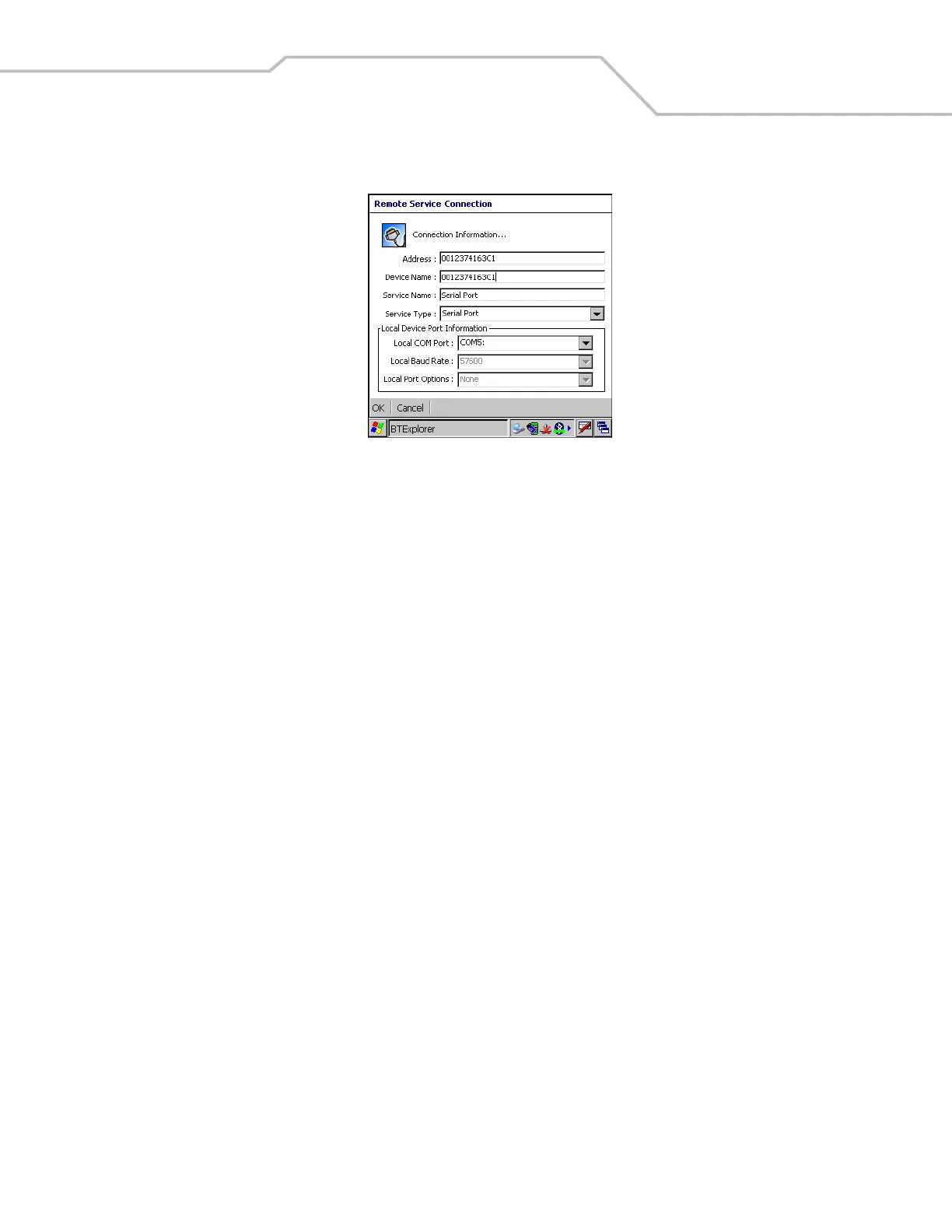
6. Tap and hold Serial Port and select Connect in the pop-up menu. The Remote Service Connection window appears.
Figure 3-26. Remote Service Connection Window
7. In the Local COM Port drop-down list select a COM port.
8. Tap OK.
Personal Area Network Services
Connect two or more Bluetooth devices to share files, collaborate or play multi player games.
To establish a Personal Area Network connection:
1. Ensure the mobile computer is discoverable and connectable. See Bluetooth Settings on page 3-22.
2. Discover and bond (pair) with the remote device.See Bonding with Discovered Device(s) on page 3-10.
3. In BTExplorer, select the Remote Devices folder.
4. Select the Trusted Devices folder.
5. Tap the remote device folder.
6. Tap and hold Personal Area Network and select Connect in the pop-up menu.


 To Next Page