MC3000 User Guide3-24
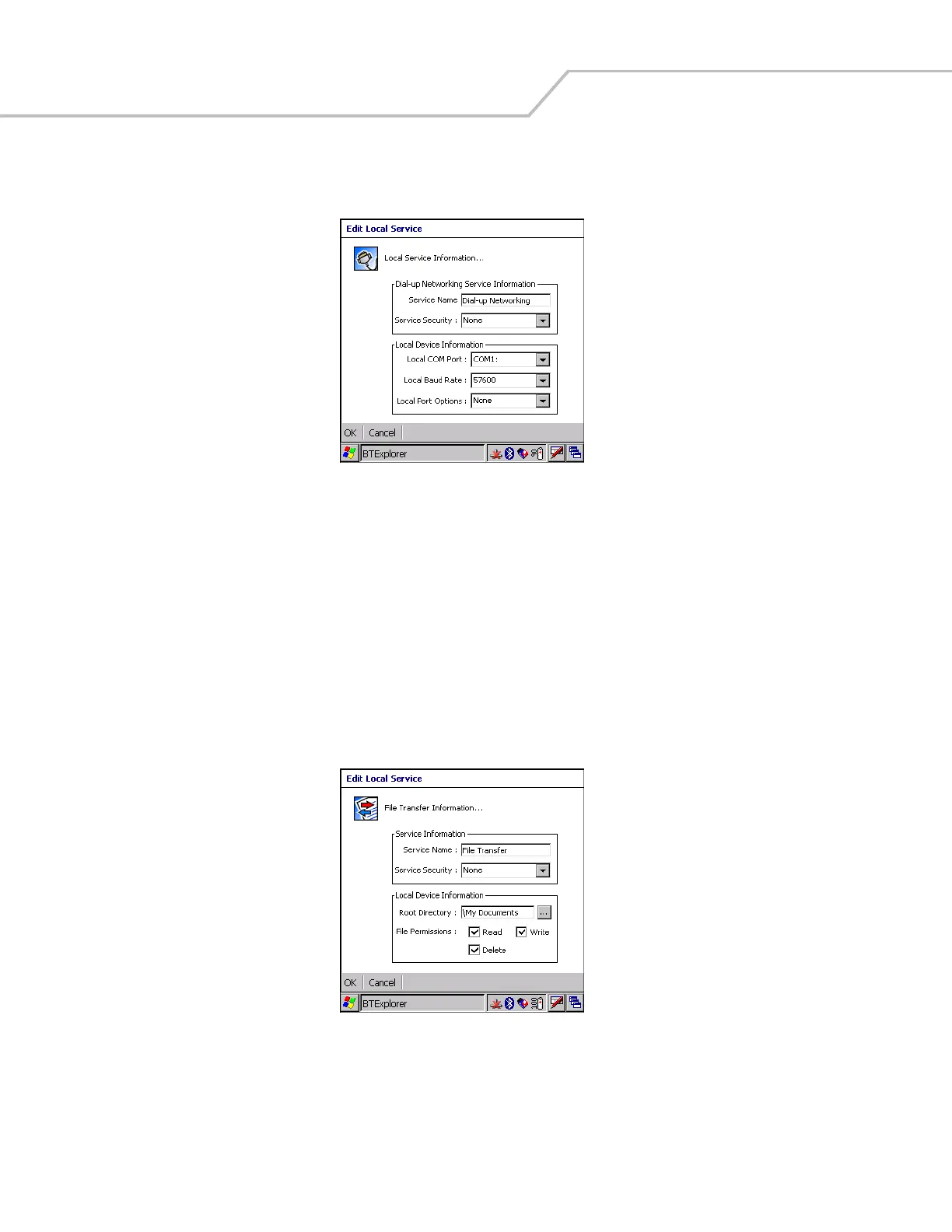
Dial-Up Networking Service
Dial-up Networking allows a dial-up modem to be accessed by other Bluetooth devices.
Figure 3-30. Add Local Service Window
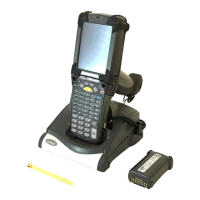
File Transfer Service
File transfer allows files to be browsed by other Bluetooth devices.
Figure 3-31. File Transfer Information Window
Service Name Displays the name of the service.
Service Security Select the type of security from the drop-down list; None, Authenticate or Authenticate/
Encrypt.
Local COM Port Select the COM port. Select COM1 to use a modem or other device that is connected to the
connector on the bottom of the mobile computer.
Local Baud Rate Select the communication baud rate.
Local Port Options Select the port option.
Service Name Displays the name of the service.
Service Security Select the type of security from the drop-down list; None, Authenticate or Authenticate/
Encrypt.


 To Next Page