Using Bluetooth 3-25
OBEX Object Push Service
OBEX Object Push allows contacts, business cards, pictures, appointments, and tasks to be pushed to the device by other Bluetooth
devices.
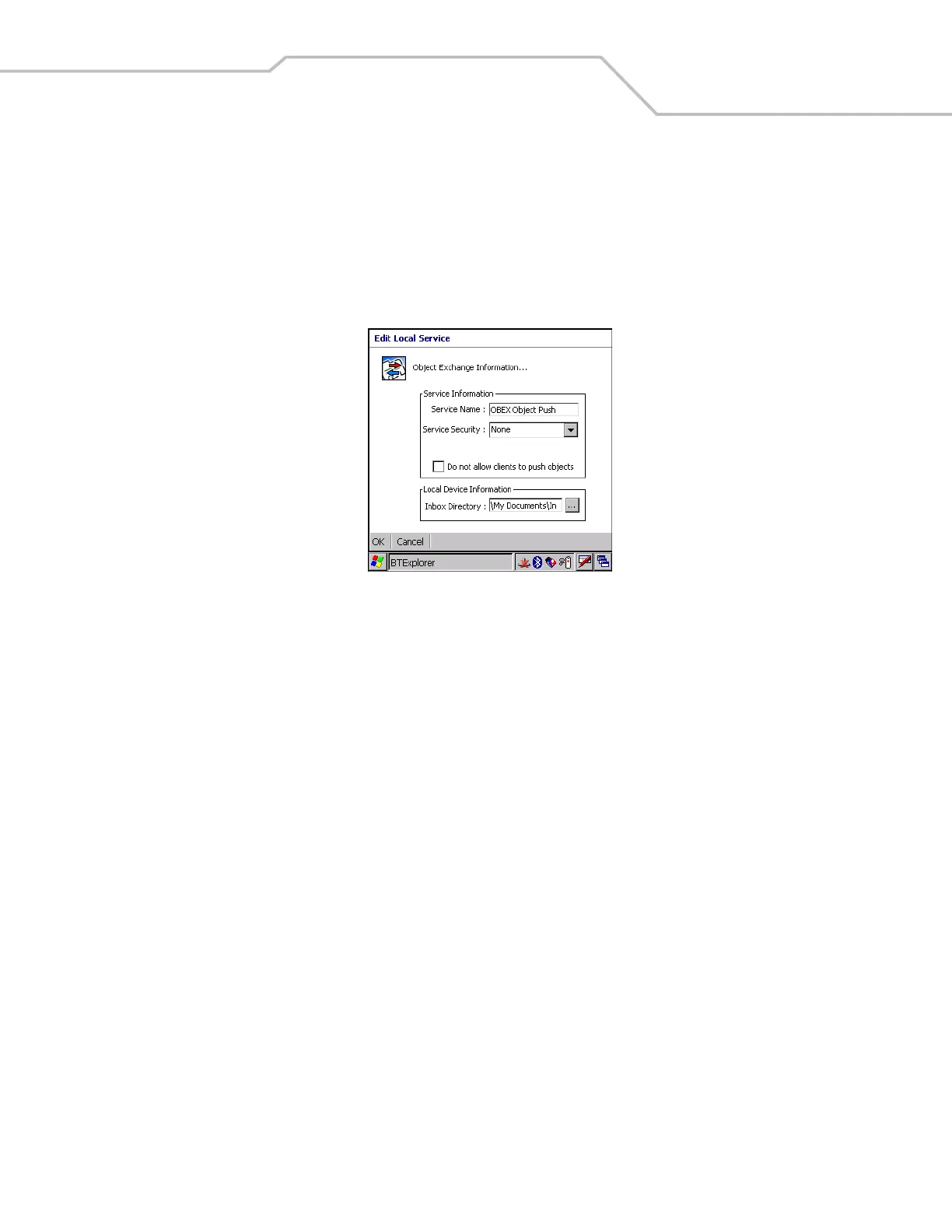
Figure 3-32. OBEX Exchange Information Window
Root Directory Select the directory that other Bluetooth devices can access.
File Permissions Select the file permissions for the selected directory. Check the appropriate box to grant Read
access, write access and delete access.
Service Name Displays the name of the service.
Service Security Select the type of security from the drop-down list; None, Authenticate or
Authenticate/Encrypt.
Do not allow clients to push objects Disables clients from pushing objects to the mobile computer.
Inbox Directory Select a directory where another Bluetooth device can store files.


 To Next Page