MC3000 User Guide3-12
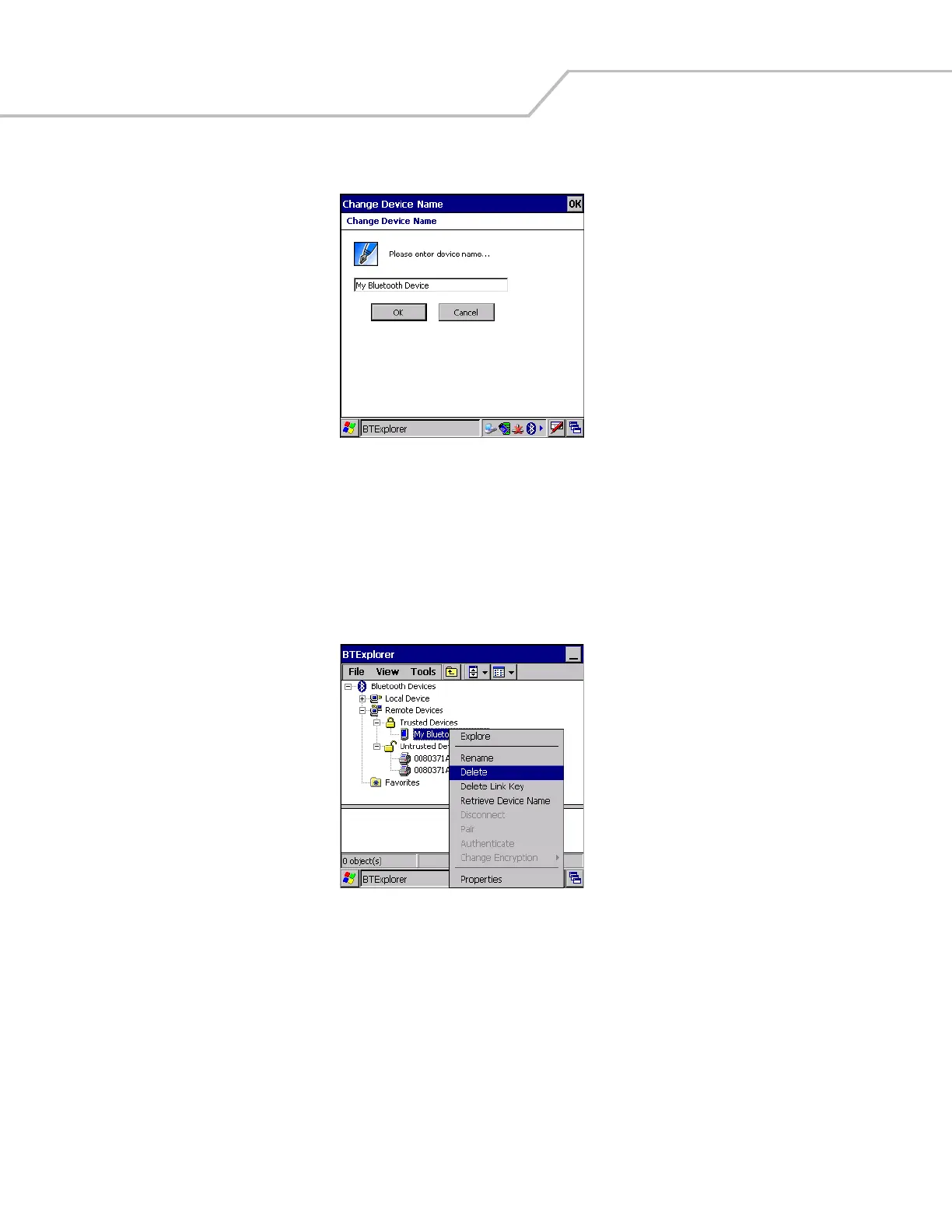
3. The Change Device Name window appears.
Figure 3-15. Change Device Name Window
4. Enter a new name for the bonded device in the text box. Tap OK.
Deleting a Bonded Device
If it is no longer necessary to connect with a device, delete it from the Bluetooth Bonded Devices window.
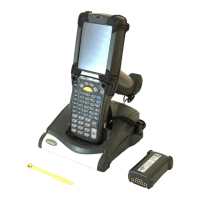
1. Launch BTExplorer.
2. Tap and hold the device to delete and.select Delete in the pop-up menu.
Figure 3-16. Delete a Bonded Device
3. A confirmation dialog appears. Tap Yes.
Accepting a Bond
When a remote device wants to bond with a mobile computer you give permission by entering a PIN when requested.
1. Ensure that the mobile computer is set to discoverable and connectable. See Bluetooth Settings on page 3-22.


 To Next Page