Using Bluetooth 3-23
Services Tab
For security reason, by default services are not enabled.
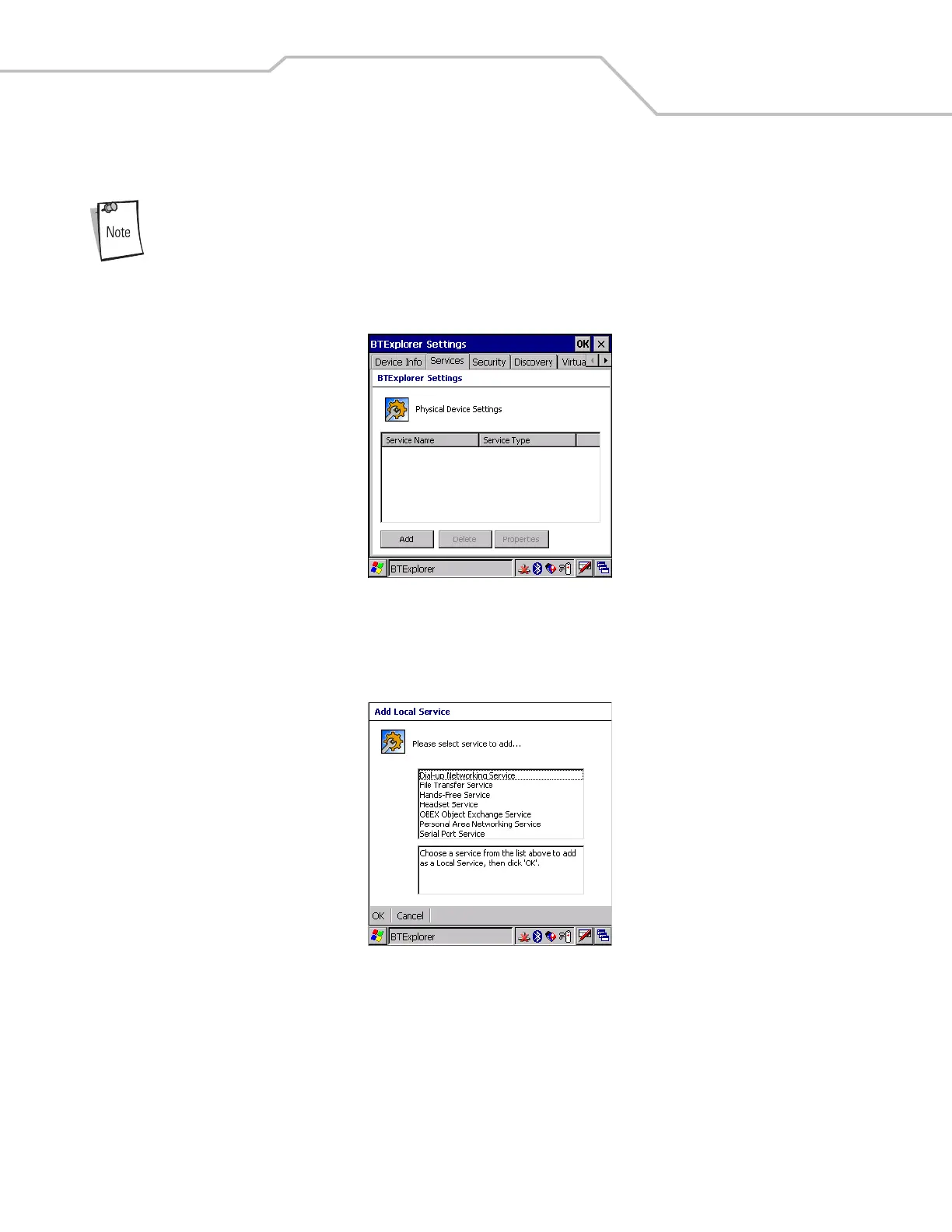
Use the Services tab to add or delete Bluetooth services.
Figure 3-28. BTExplorer Settings - Services Tab
To add a service:
1. Tap Add. The Add Local Service window displays.
Figure 3-29. Add Local Service Window
2. In the list, select a service to add.
3. Tap OK. The Edit Local Service window displays for the selected service.
4. Select the appropriate information and then tap OK. See the following paragraphs for detailed information on the available
services.



 To Next Page