MC3000 User Guide3-22
Bluetooth Settings
Use the BTExplorer Settings window to configure the operation of the BTExplorer application. Tap Tools - Settings. The BTExplorer
Settings window appears.
Device Info Tab
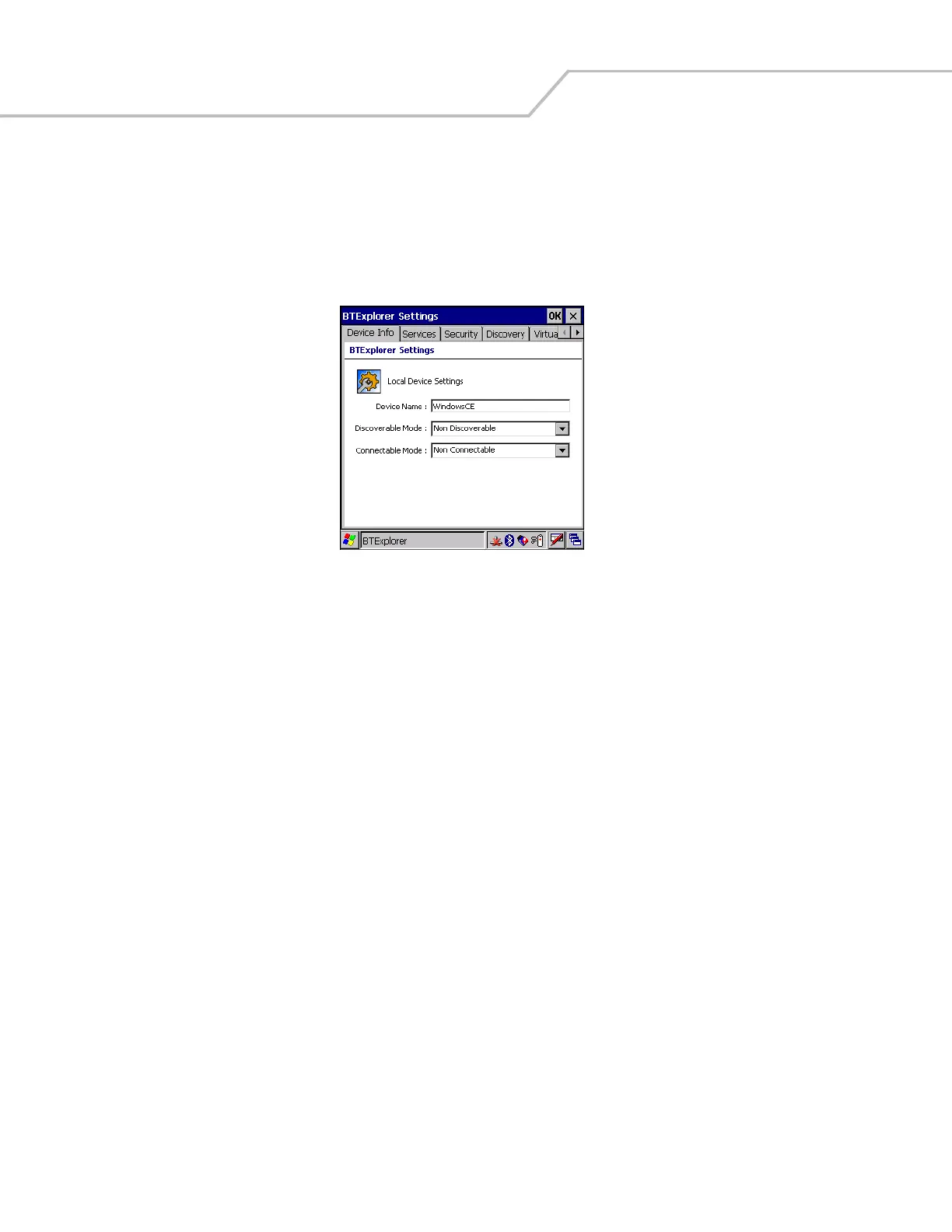
Use the Device Info tab to configure the mobile computer’s Bluetooth connection modes.
Figure 3-27. BTExplorer Settings - Device Info Tab
Device Name Displays the name of the mobile computer.
Discoverable Mode Allows you to set the mobile computer to be discoverable by other Bluetooth devices or not be
discoverable.
Note: For security reasons, the default is set to Non Discoverable.
Connectable Mode Allows you to set the mobile computer to be connectable by other Bluetooth devices or not be
connectable.
Note: For security reasons, the default is set to Non Connectable.


 To Next Page