Using Bluetooth 3-9
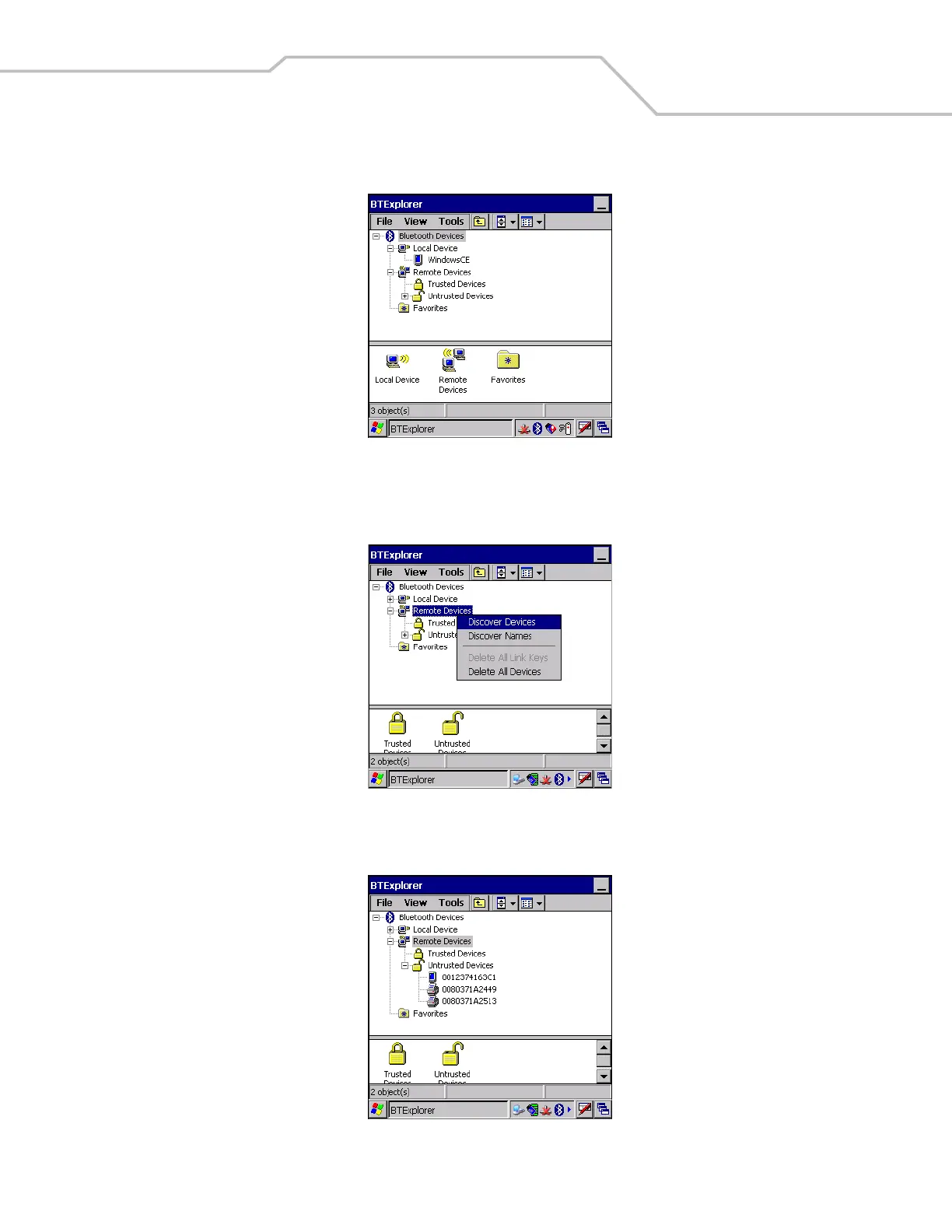
3. Tap the Bluetooth icon and select Show BTExplorer. The BTExplorer window appears.
Figure 3-8. BTExplorer Window
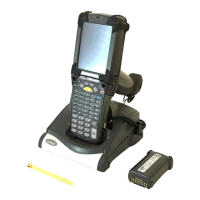
4. Tap and hold Remote Devices and select Discover Devices from the pop-up menu. The mobile computer searches for
Bluetooth devices in the area.
Figure 3-9. Discover Devices
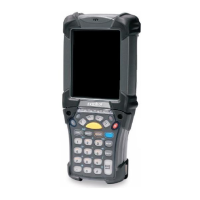
5. The discovered devices display in the Untrusted Devices folder.
Figure 3-10. Discovered Devices Listed in Untrusted Folder


 To Next Page