Portbase User Guide
③ Settings
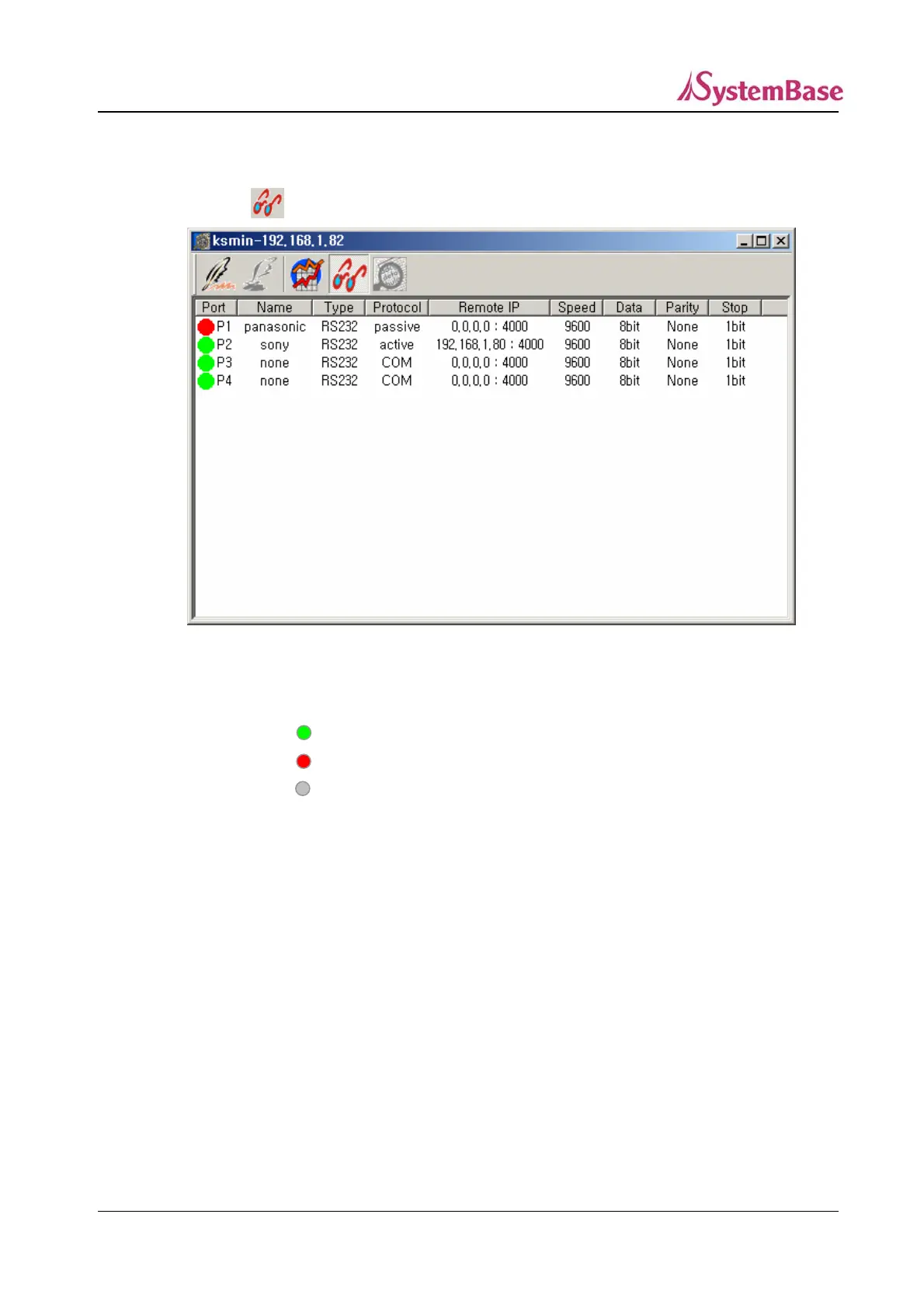
You can display settings of all ports.
Click on from the toolbar.
<Settings Screen>
Port : Port number and status of a Portbase
: The port is active (Green)
: The port is available but not active (Red)
: The port is unavailable. (Grey)
Name : Port name of the Portbase
Type : Port type of the Portbase (RS232/422/485)
Protocol : Protocol of the Portbase
(Passive, Active, Telnet, Com, Tty, Link)
Speed : Baud rate of the Portbase port (150, 300, 600, 1200, 2400, 4800,
9600, 19200, 38400, 57600, 115200, 230400)
Length : The number of bits indicating a character (5, 6, 7, 8)
Parity Error detection method of making the number of ‘1’s in a bit string to
be odd or even by adding a test bit to the given data bit string. (None,
Odd, Even)
Stop The bits added to indicate that a character ends (1, 2)
88



 To Next Page