
EasyManua.ls Logo

TAD EVOLUTION Series User Manual

TAD EVOLUTION Series
112 pages
To Next Page IconTo Next Page
Page #1 background imageLoading...
Page #1 background image
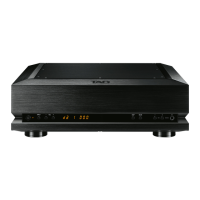
TAD-DA1000T X
D / A CONVER TER
CONV ER T ISSEUR N / A
D/A-WANDLER
CONVERTITORE D/A
CONV ER T IDOR D / A
數位類比轉換器
OW NERS MANUAL
MODE DEMPLOI
BEDIENUNGSA NLEIT UNG
MA NUA LE DIS TRUZIONI
MA NUA L DE INS TRUCCIONES
用戶手冊

Table of Contents

Questions and Answers:

TAD EVOLUTION Series Specifications

General IconGeneral
CategoryMedia Converter
Humidity5% to 95% non-condensing
ModelEVOLUTION Series
InterfaceEthernet
Connector TypeRJ45
Power Supply12V DC
Operating Temperature0°C to 50°C
Storage Temperature-20°C to 70°C

Summary

Safety and Operational Precautions

Electrical Shock Hazard

Warns against opening the cover and refers servicing to qualified personnel.

Environmental Hazard Warnings

Advises against water, moisture, and fire hazards like naked flames.

Ventilation and Power Cord Safety

Details ventilation needs and safe power cord handling.

Important Safety Instructions

Listening Safely

Safe Listening Level

Guides users on setting volume gradually to a comfortable, distortion-free level.

Precautions in Use

Main Unit Rear Panel Connections

Analog and Digital Output Connectors

Explains connections for pre-amplifiers and digital output components.

Input and Power Connectors

Details USB port, digital input connectors, trigger out, and AC power input.

Installation and Connections

Unit Installation Guidelines

Advises selecting a stable, flat location and maintaining clearance for heat dispersion.

Connecting Up Components

Connection Precautions

Advises completing all connections before turning on power and disconnecting cord when changing connections.

Pre-amplification Feature Connection

Details connecting the unit to a computer or components with digital output.

Connecting to Power Amplifier

System Configuration with Power Amp

Explains how to connect the unit to a power amplifier for a simple system configuration.

Power Amp Connection Warning

Warns about setting volume to zero before connecting to a power amplifier to prevent damage.

Special Settings

USB Connections

U1 (AudioClass 1.0) USB Mode

Details U1 mode, supported sampling rates, and compatibility with Windows/Mac OS.

U2 (AudioClass 2.0) USB Mode

Explains U2 mode, DoP format, higher sampling rates, and driver installation.

Troubleshooting Guide

No Sound or Noise Issues

Provides solutions for no sound, audible noise, and incorrect input detection.

USB Input and Computer Issues

Addresses issues with USB input, computer detection, and sound settings.

Troubleshooting Common Issues

Technical Specifications

Body and I/O Specs

Lists model type, connector types, sampling rates, and output specifications.

Related product manuals