18
8.2 LEVEL 2 (PID Level)
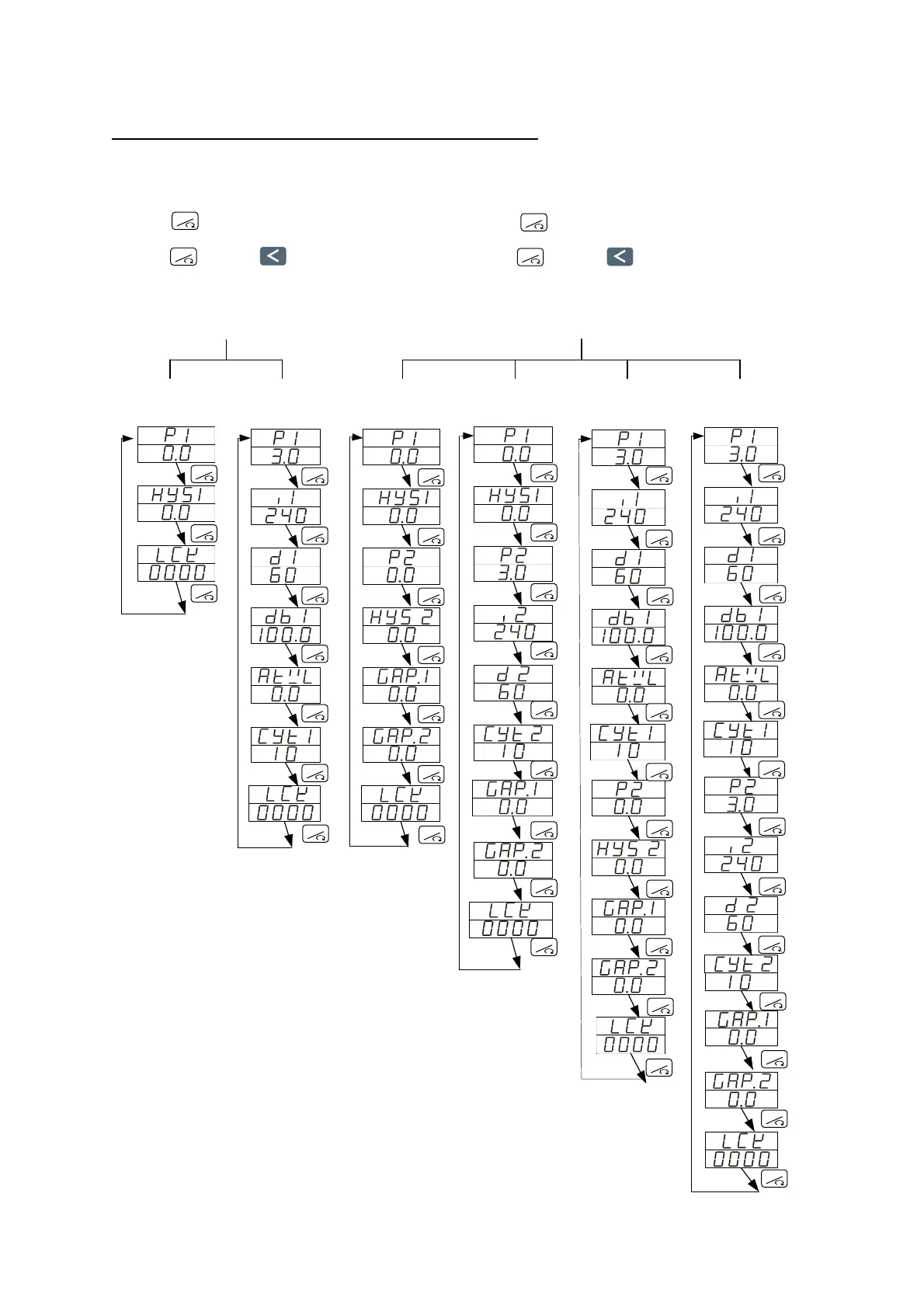
To enter level 2, press SET key 5 seconds in level 1
8.2.1 Level 2 parameters display / hiding condition
P1≠0
P1=0
P1=0
P2=0
P1=0
P2≠0
P1≠0
P2=0
P1≠0
P2≠0
1. Press key 5 seconds to enter level 2.
2. Set LCK to “1111".
3. Press key and key 5 seconds,
to enter level 4 (Set level).
4. Set OUTY to “0" (Single output-P1) .
Single output - P1
1. Press key 5 seconds to enter level 2.
2. Set LCK to “1111".
3. Press key and key 5 seconds,
to enter level 4 (Set level).
4. Set OUTY to “1" (Dual output - P1/P2) .
Dual output - P1/P2
RESET
RESET
RESET
RESET
RESET
RESET
RESET
RESET
RESET
RESET
RESET
RESET
RESET
RESET
RESET
RESET
RESET
RESET
RESET
RESET
RESET
RESET
RESET
RESET
RESET
RESET
RESET
RESET
RESET
RESET
RESET
RESET
RESET
RESET
RESET
RESET
RESET
RESET
RESET
RESET
RESET
RESET
RESET
RESET
RESET
RESET
RESET
RESET
RESET
RESET
RESET
RESET
RESET
RESET


 To Next Page
 Loading...