EasyManua.ls Logo

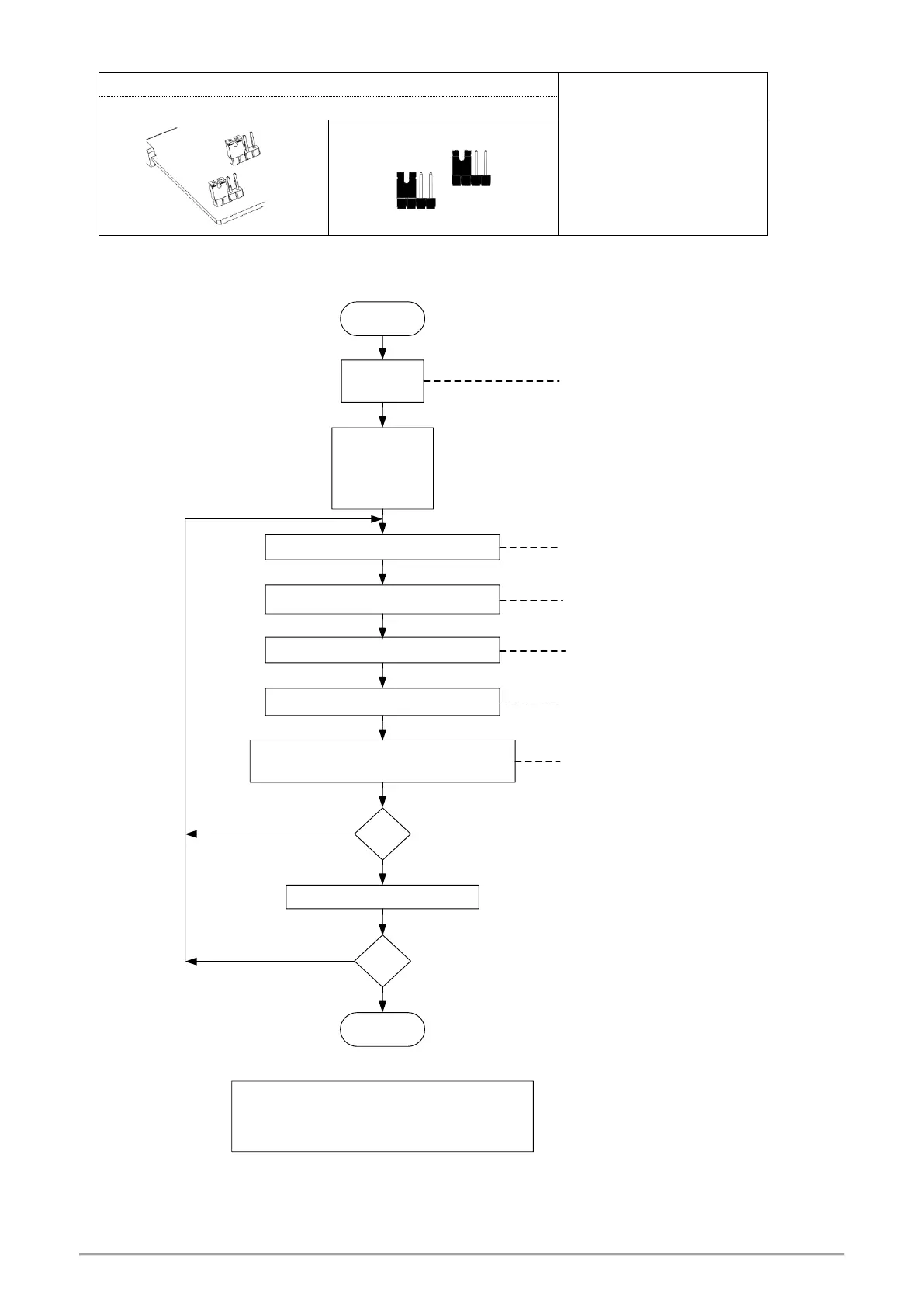
Taie FY700 - Input Modify to RTD; RTD Calibration Flowchart

Default Icon
89 pages
Print Icon
To Next Page IconTo Next Page
To Previous Page IconTo Previous Page
Loading...
FY operation manual 72
15.2 Input modify to RTD
Jumper Position
Software Setting
Plug 2 pcs of Jumper in the left slot as shown
Parameter set as“INP1=PT1~PT3”
SET 2_2 = 1
TRCL = 0
TRCH = 5FFF
INP1 = PT1
USPL = 850.0
LSPL = -199.9
Adjusts "TRCL" until PV = -199.9
Input PT100 signal -199.9°C
Adjusts "TRCH" until PV = 850.0
Input -199.C Check the PV = -199.9
Input 850.0°C Check the PV = 850.0
OK ?
to display TRCL & TRCH
YES
NO
Step A
Step B
Step C
Step D
Step E
Repeat step A~E 3~4 times
YES
NO
OK ?
RTD calibration flowchart
Start
End
Set the range you want
Ex: Low = 0.0 , High = 200.0
Set LSPL = 0.0 , USPL = 200.0
Input PT100 signal 850.0°C

Notes
When input is thermocouple or PT100, it has been calibrated and tested at the factory, we don’t recommend customers to make
Their own calibration.

Table of Contents

Other manuals for Taie FY700

Related product manuals