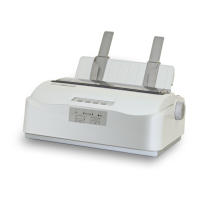
Tally Dascom 1225
36
【Tear Off】key: Decrease 0.5mm
【Load/Eject】key: Increase 0.5mm
5. Press 【LF/FF】 key, printer will print “Save settings?Yes”. Press 【Load/Eject】 key to choose Yes
or No,then press 【LF/FF】 key to confirm selection and exit “Adjust Page Margins” mode by pressing
【Online】. The print head moves to the left side and the printer beeps twice, then the print head
moves to the middle position.
Adjust Tear-Off Position Procedure:
1. Enter the Adjust Page Margins function by holding down the【Load/Eject】and【Online】keys while
powering up until the printer beeps twice.
2. Load fanfold paper
3. The printer will print as below:
Adjust Page Margins:
【LF/FF】=OK 【Tear/Off】= Back 【Load/Eject】= Next 【Online】= Exit
Current Setting: Adjust Fanfold Top Margin
4. Press【Load/Eject】key until the current setting is “Adjust Tear-Off Position”. Press【LF/FF】key to
confirm selection. The printer will print as follows:
Procedure:
Install fanfold paper to tractors
【LF/FF】 = Add 【Load/Eject】 = Reduce 【Online】 = Exit
Each step is 0.5 mm
Function of keys:
【Tear Off】key: Decrease 0.5mm
【Load/Eject】key: Increase 0.5mm
5. Press 【LF/FF】 key, printer will print “Save settings?Yes”. Press 【Load/Eject】 key to choose Yes
or No,then press 【LF/FF】 key to confirm selection and exit “Adjust Page Margins” mode by pressing
【Online】. The print head moves to the left side and the printer beeps twice, then the print head
moves to the middle position.


 To Next Page