- 23 -
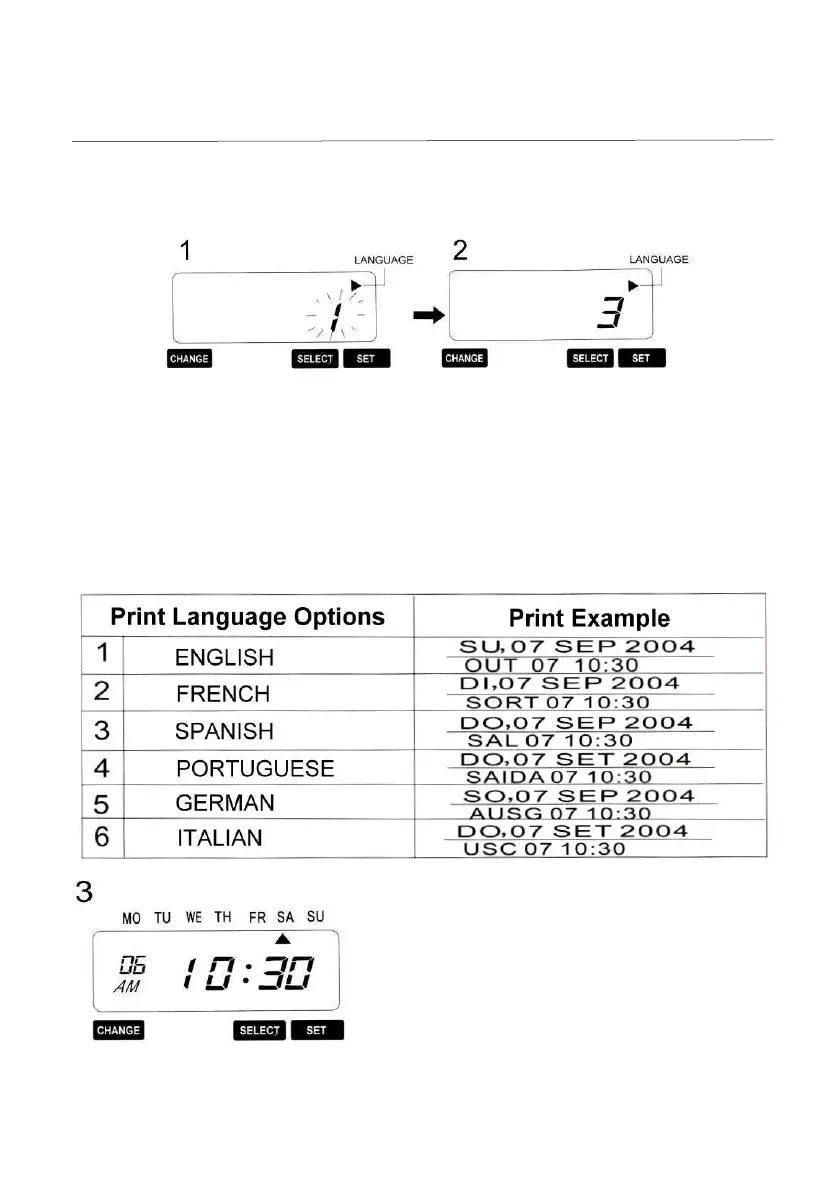
14. Setting the Language
This setting is available if you select “month”, “Day of the week” or “Comment” in
previous “Print Order”.
Example: Change the print language into Spanish.
Press the {Select} button and position Press the {Change} button to set at
“3”
the
▲
under the “LANGUAGE” mark. And then press the {Set} button.
At that moment, the flashing digit
indicates “Language Options”
(The flashing means it can be changed)
After you finish setting the Language, press the
{Set} button once again. Now the language has
been completed. Replace the cover and lock.
*** Important: If you do not complete Step 3,
the Time Stamp will not print.


 To Next Page