- 5 -
3. Quick Easy Setup
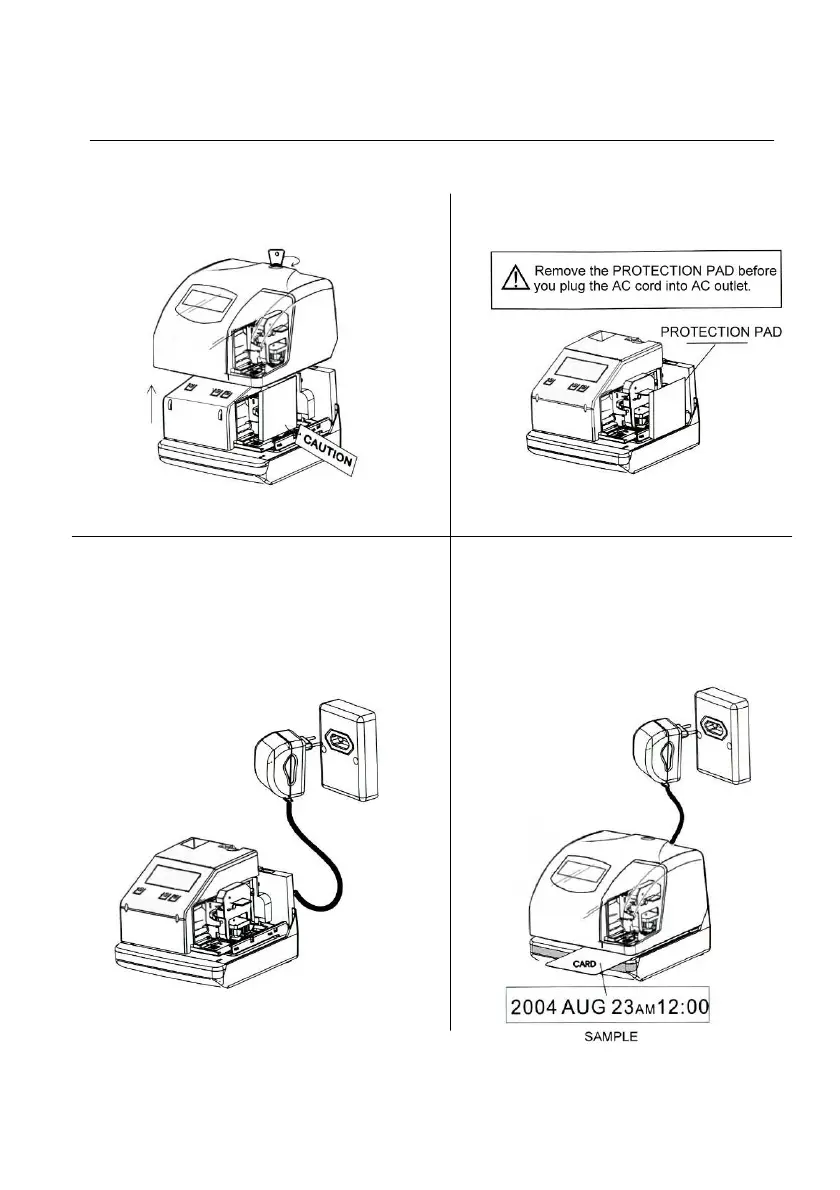
1. Unlock the key and remove the top case. 2. Remove the Protective Pad.
3. Plug the AC cord into the AC 4. Install back the top cover, get it
outlet. The current time will shown locked and try printing with a
card.
on LCD panel. It is now ready to be
adjusted if necessary.
Please refer to NO. 5 Setting the time if
the time and date are incorrect.


 To Next Page