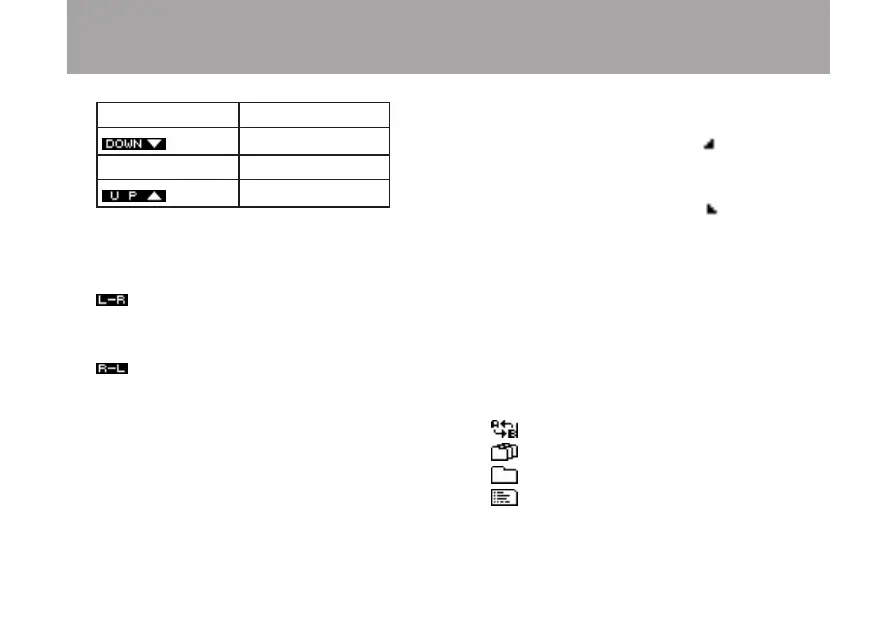
Display Meaning
50–90%
No indicator 100%
110–200%
q Microphone left-right position setting
This shows the current microphone left-right
position setting
: This is shown when the left microphone
is input to the left channel and the right
microphone is input to the right channel.
: This is shown when the left microphone
is input to the right channel and the right
microphone is input to the left channel.
w Elapsed time
This shows the elapsed time of the file being
played (hours: minutes: seconds).
e Repeat playback A (starting) and B (ending)
point status
This shows this setting status of starting and
ending points for A-B repeat playback.
When a starting point is set, is shown
below the playback position bar at the
corresponding position.
When an ending point is set, is shown
below the playback position bar at the
corresponding position.
r Playback file number/total number of files
The total number of files in the playback area
and the current file number are shown
t Repeat playback and playback area setting
status
One of the following icons is shown
depending on the setting.
: A-B repeat playback
: Playback area set to ALL file
: Playback area set to FOLDER
: Playback area set to PLAYLIST
2 – Names and functions of parts



 To Next Page