When the playback speed is set to any value
other than 100%, the playback speed function
can be turned ON or OFF. When set to 100%, the
/ icons are not shown.
NOTE
The playback speed function cannot be used with a
file that has been recorded at a sampling frequency
of 96 kHz.
1 Press the FUNCTION key to open the
FUNC-
TION
menu screen.
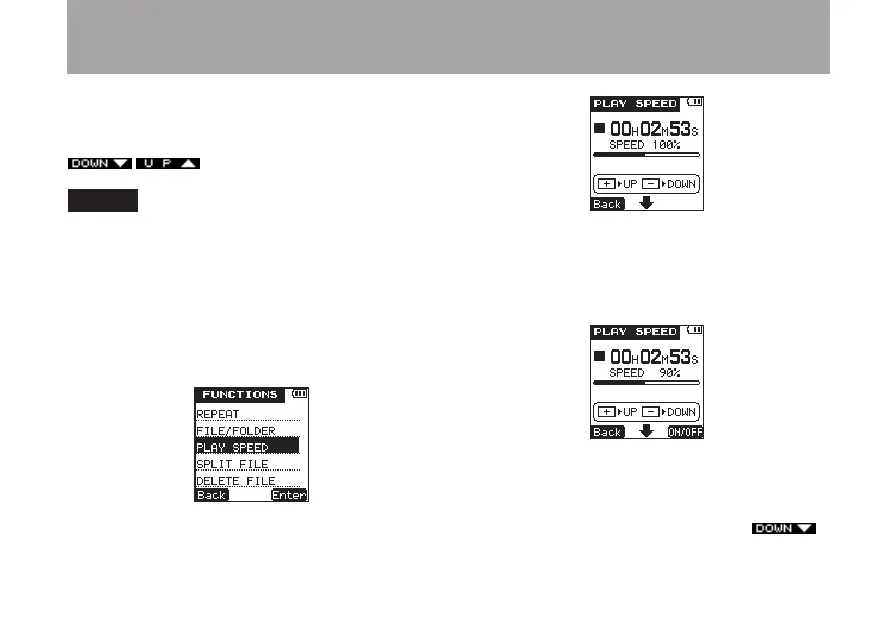
2 Use the +/– keys to select the
PLAY
SPEED
menu item.
3 Press the
¯
(
Enter
) key to open the
PLAY
SPEED
setting screen.
4 Press the + key to increase the playback
speed and the – key to decrease the playback
speed. The adjustment range is 50–200% (in
10% increments).
5 Press the
¯
(
ON/OFF
) key to turn play
speed function ON/OFF. When the playback
speed function is ON, and the adjustment is
set to a value other than 100%, an
6 – Playback



 To Next Page