30
PED.
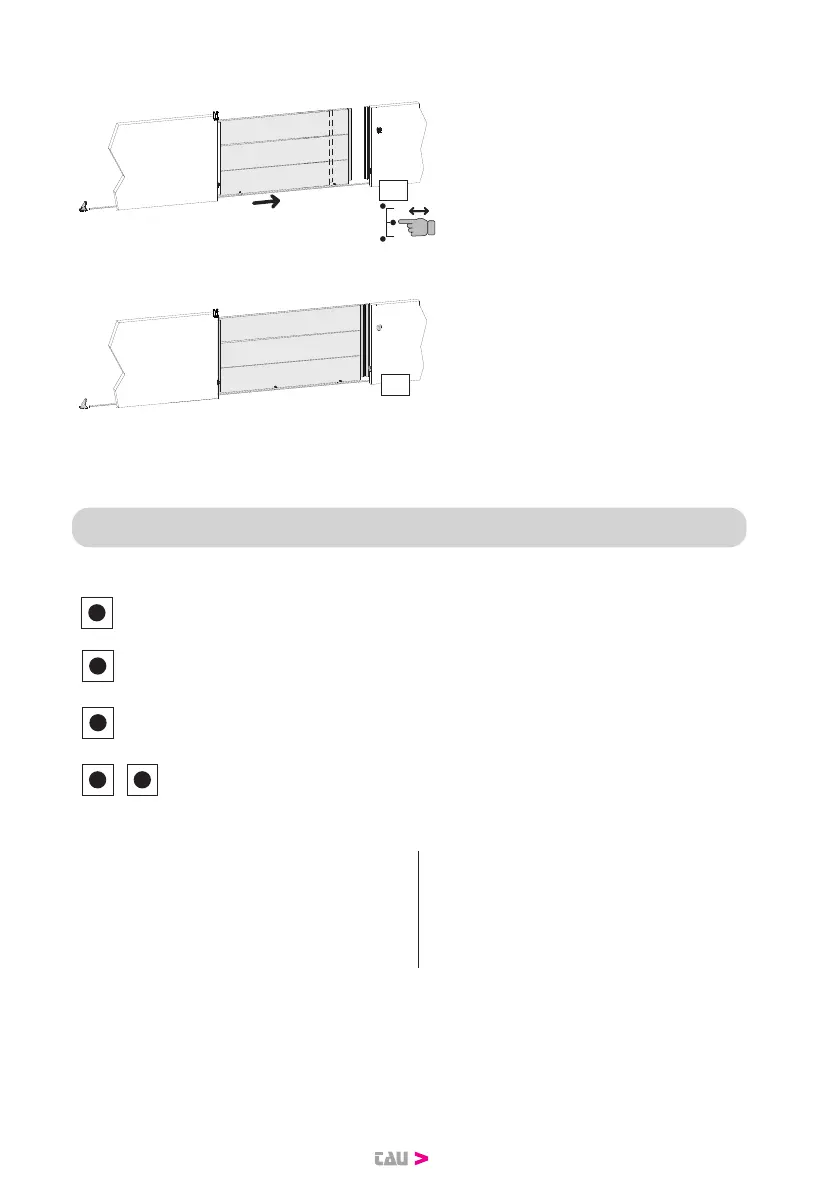
DECELERATION
RALLENTAMENTO
tE
6. Press and release the PEDESTRI-
AN key. The gate memorizes the
deceleration start point in closing.
CLOSE
CH
7. When the closing limit switch in-
tervenes, the gate stops, the mes-
sage CH appears on the display
and the pedestrian programming
procedure ends.
If one or more settings are changed after the memorization, the procedure
shouldberepeated.
14. PARAMETERS PROGRAMMING
Keys description summary:
P1
The P1 key has the function of decreasing the parameters and values
by one unit.
The P2 key has the function of increasing the parameters and values
by one unit.
P3
The P3 key has the function of accessing the parameters menu and
the stroke memorization menu and conrming the modied value.
P1 P2
+
The simultaneous pressure of the P1 and P2 keys has the function of
going back to the previous setting.
* DISPLAY LEGEND:
CH= Gate closed tE= Self-learning
CL= Gate closing ST= Stop pressed
OP= Gate opening AS= Amperometric protection intervention
AP= Gate open


 To Next Page