11
+ The equipment may be cleaned of dust, dirt and sweat using a damp cloth. The
use of solvents should be strictly avoided. Also, make sure that no liquids (e. g.
sweat) get into the openings of the equipment (e. g. console).
2.2 Errors and error diagnosis
The equipment runs through regular quality controls during production. Nevertheless,
errors or malfunctions on the equipment may occur. Individual parts are often the
cause of faults and replacement is usually sucient. Please use the following overview
to see the six most common errors and how to repair them. If the equipment still does
not work properly, please contact your contract partner.
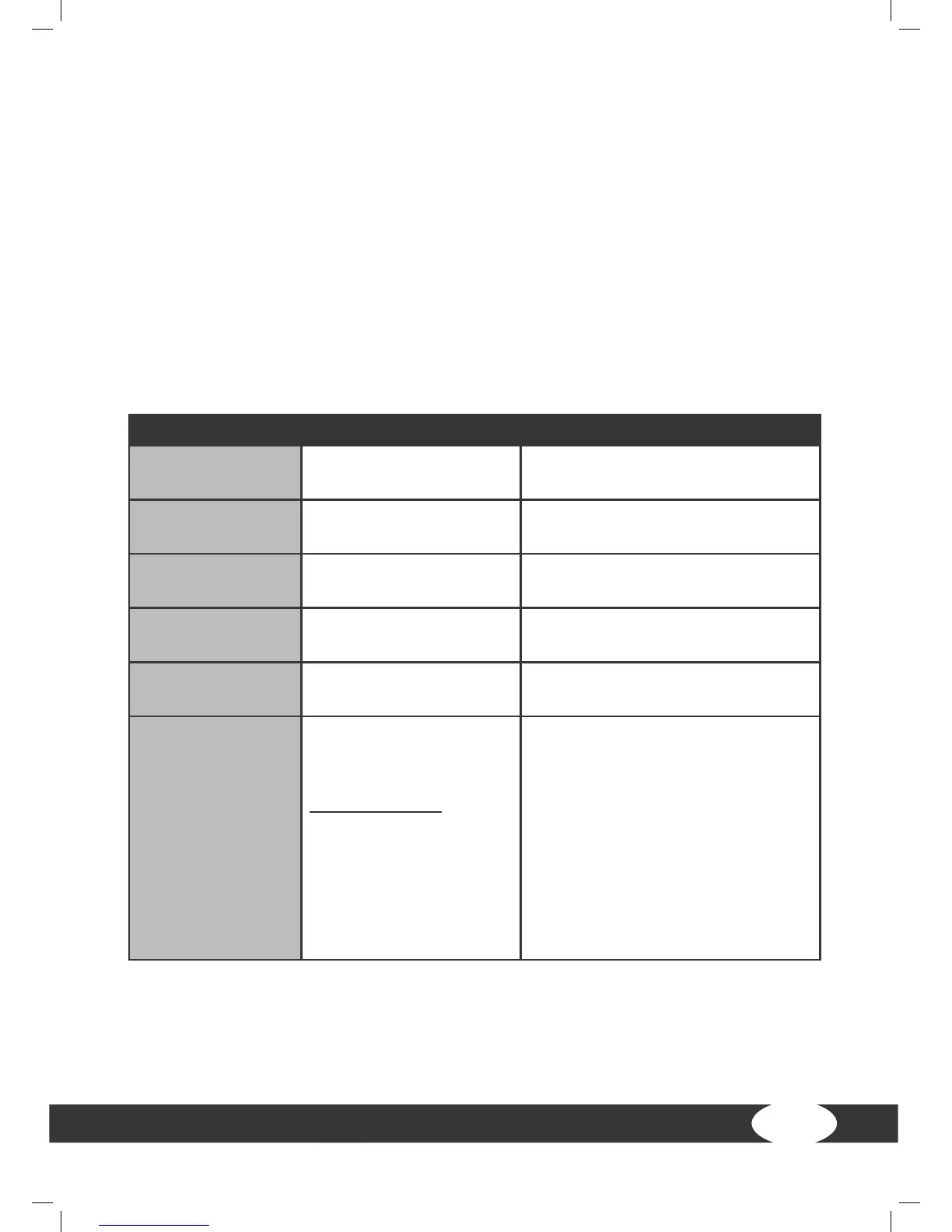
Error Cause Repair
Console only
shows lines
Safety key missing Check if the safety key is inserted
and place it in
Running belt tilted
Running belt not
aligned
Align running belt in accordance
with the instructions
Running belt slips
through/stops
Belt tension/lubrication
not ok
Check belt tension/lubrication in
accordance with the instructions
Scraping noises
Running belt scrapes,
because it is not aligned
Align running belt in accordance
with the instructions
Display does not
show anything
Check plug connections
(cables)
Mains switch on “on”, make sure
that the safety key is inserted
No pulse display
Sources of interference
in the room
With chest strap
Unsuitable chest strap
Position of the chest
strap incorrect
Batteries empty
Remove sources of interference (e.
g. mobile phone, speakers, etc.)
Use suitable chest strap (see
recommended accessories)
Reposition chest strap and/or
moisten electrodes
Change batteries


 To Next Page