26
4.4.1 Manual program
(1) Conrm the manual program with ENTER and enter the time: Press SPEED+ or
SPEED- in order to set the target time. The default value is 0:00 min:sec and you
can choose between 20:00 to 99:00.
(2) Conrm the time with ENTER and enter the distance: Press SPEED+ or SPEED- in
order to set the target distance. The default value is 0.00 km (mile) and you can
choose between 1.00 to 99.00.
(3) Conrm the distance with ENTER and enter the calories: Press SPEED+ or SPEED- in
order to set the target calories. The default value is 0 calories, range 10 to 9990.
(4) As soon as you have completed the settings, press START and the program will
accept the entered values as a guideline. As soon as the default values are at zero,
the program is complete.
4.4.2 Training program
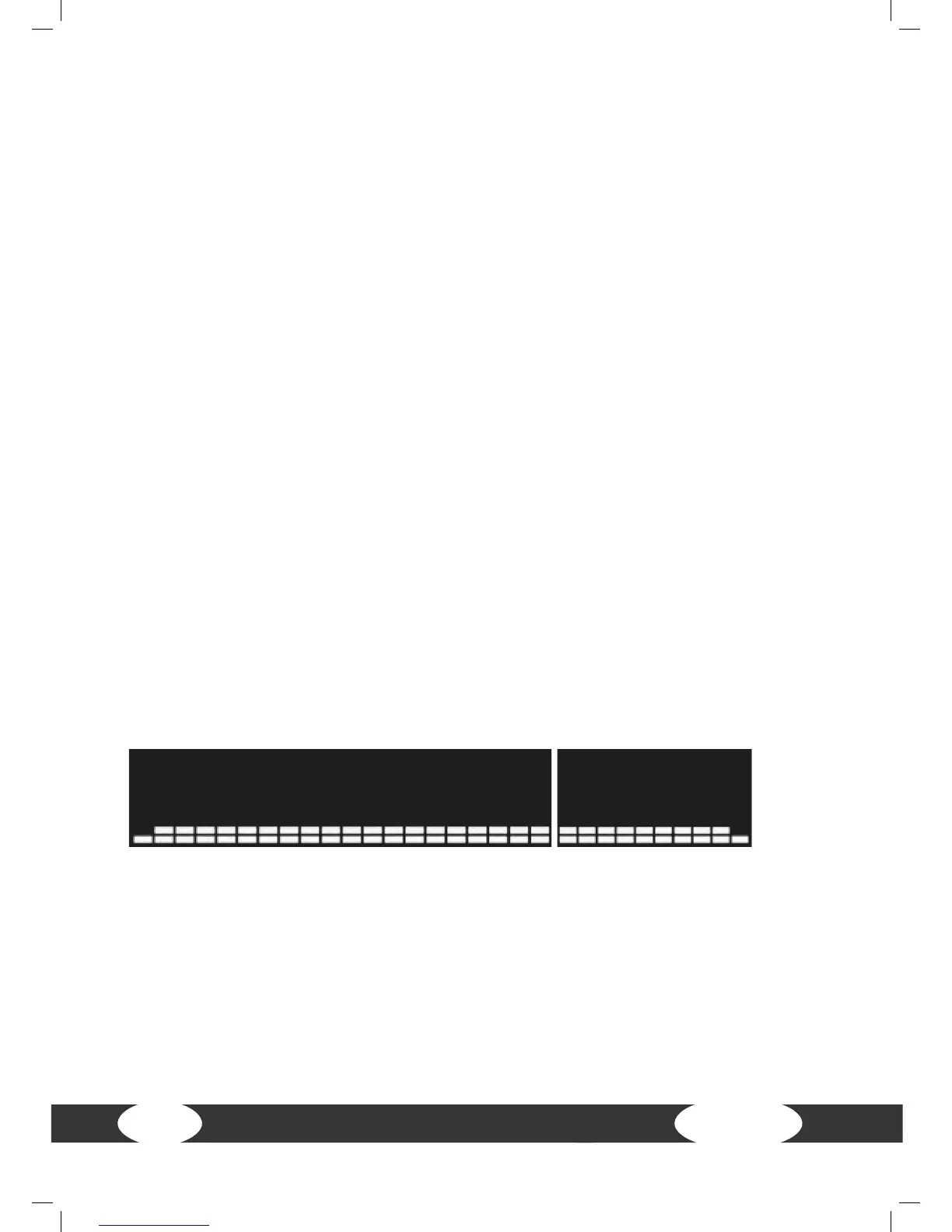
P1 to P6 proles - There is a total of 30 levels, 1 minute per level
Program P1 (9-hole) - 3.5 km
(1) Conrm the program selection P1 with ENTER. Press SPEED+ or SPEED- in order to
enter the level. The default value is 1, the range is between 1 to level 10.
(2) Conrm the target distance with ENTER. “Ready Go” appears on the screen and
training begins after three seconds.
P1 (9 hole)
Program P2 (hill climbing)
(1) Conrm the program selection P2 with ENTER. Press SPEED+ or SPEED- in order to
enter the level. The default value is 1, the range is between 1 to level 10.
(2) Conrm the selected level with ENTER. Press SPEED+ or SPEED- in order to enter
the time. The default value is 30:00 min:sec; the range is between 20:00 to 99:00.
(3) Conrm the target time with ENTER. “Ready Go” appears on the screen and training
begins after three seconds.


 To Next Page