21
INCLINE up/ down
- Press this button and adjust the incline of the treadmill
in increments of 1. If you hold the button, the value will
change quicker.
ENTER
- With this button, you can conrm your settings and
get to the next step.
MODE
- Press this button during the start/ready status in order
to enter programs.
SPEED INSTANT KEY
1 / 2 / 4 / 6 / 8 / 10
- Set the speed of the treadmill with these direct
buttons. The unit is in kmh or mph.
INCLINE INSTANT KEY
2 / 4 / 6 / 8 / 10 / 12
- Set the incline of the treadmill in degrees with these
direct buttons.
Remove the safety key in the tness or standby mode. An arrow pointing down
will appear in the middle window. Each value indicates the standard value of zero.
Treadmill motor and program stop immediately and the incline remains in the angle
before you removed the safety clip. The user must insert the safety clip again and the
treadmill can be used again. The windows automatically set the sides to zero.
After you have turned on the equipment with the ON/OFF switch on the motor cover,
the display will show a blinking heart symbol. In order to begin a predened training
program, select a corresponding training prole (WORKOUT PROGRAM). Press the
QUICK START button to immediately begin training without a training program.
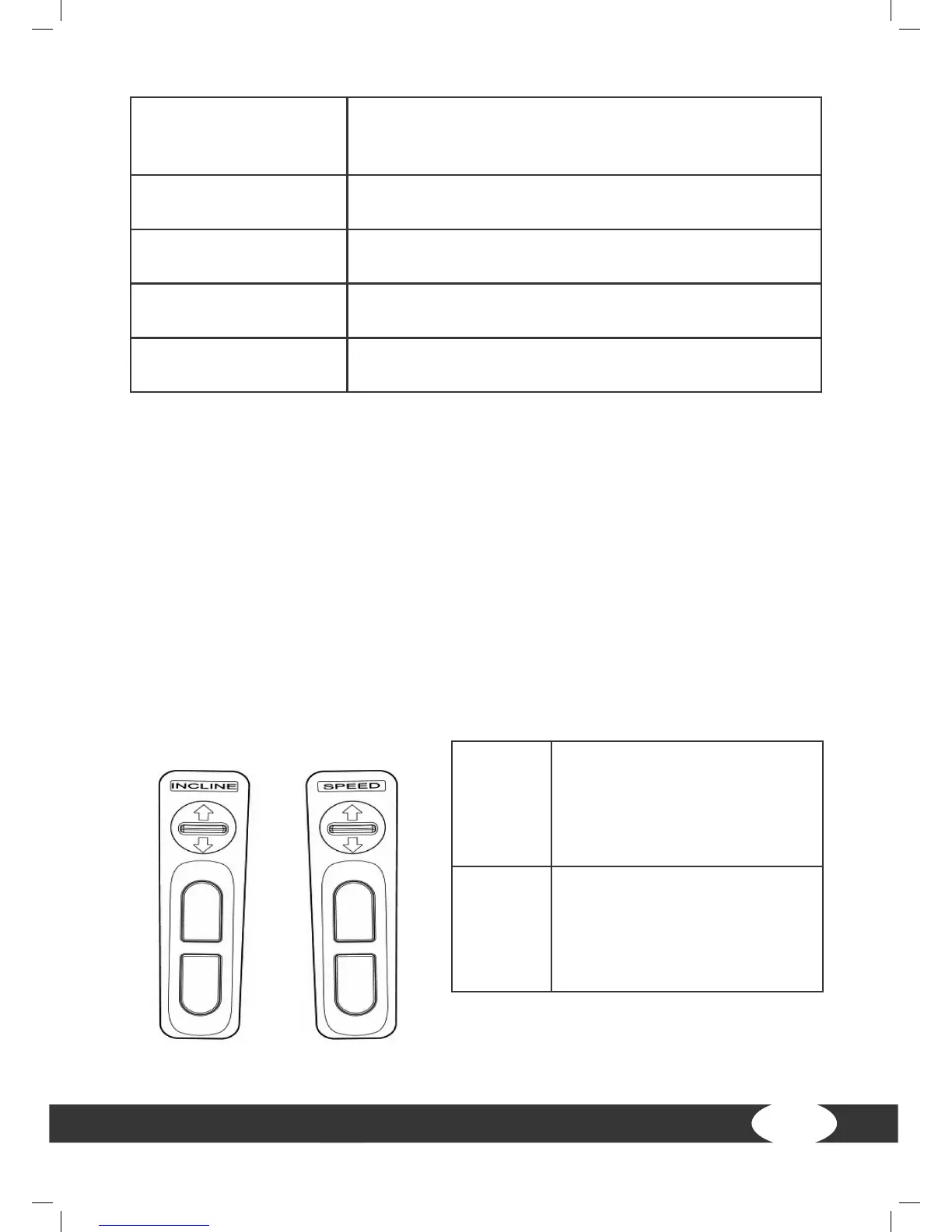
SPEED
+/-
Press this button and adjust
the speed of the treadmill in
0.1 increments. If you hold the
button, the value will change
quicker.
INCLINE
+/-
Press this button and adjust
the incline of the treadmill in
increments of 1. If you hold
the button, the value will
change quicker.
Handrail buttons


 To Next Page