24
(8) If the incline goes back to zero, the incline motor can be stopped by removing the
safety key.
(9) If you are in the PAUSE mode for four minutes, the program will end. If you hold
STOP, you can end the training and return to the Start/Ready mode.
Standby
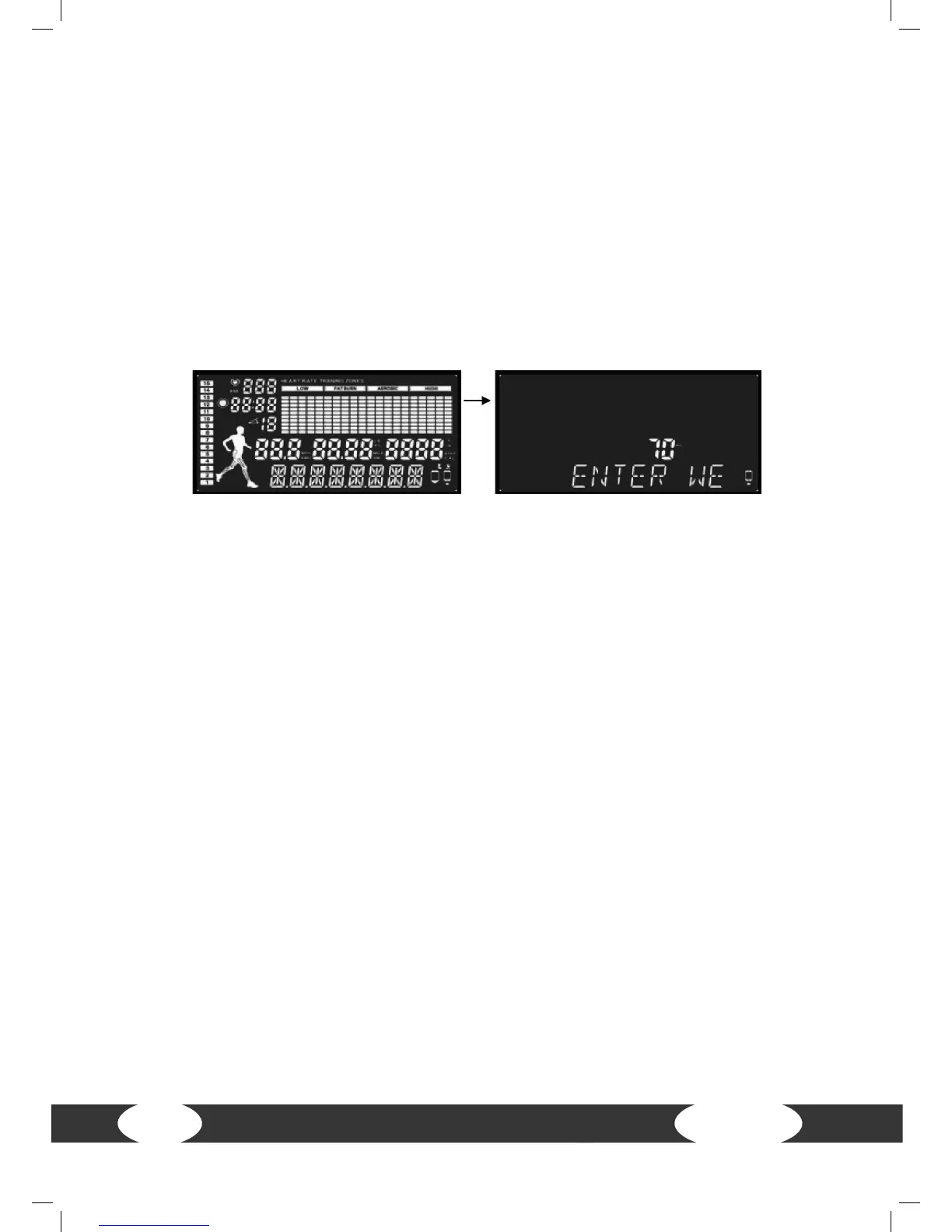
As soon as the treadmill is turned on, a “beep” will sound and the window to enter the
weight will appear after two seconds.
Weight setting
(1) Press SPEED+ or SPEED- to enter the weight. The default value is 70 kg (154 lbs).
The input range is between 23 to 130 kg (50 to 286 lbs).
(2) Conrm the weight with ENTER. “SELECT PROGRAM” appears on the screen. Press
SPEED+ or SPEED- in order to select a program. Optionally, you can press QUICK
START in order to directly begin training.
The reason for the weight setting is to show the user the burnt calories and to show
the tting formula for the change. The weight can be entered during any restart. After
training or as soon as the safety key is removed, the equipment will go back to the
weight setting page.
Rest mode: If the equipment is not used for a longer period of time, the computer
will go into rest mode. The system goes into standby mode and turns o the screen
lighting in order to save electricity. If you press a button in the rest mode, the screen
will lighten up again.


 To Next Page