39
Step 2: Enter the iPad setting program. Press the arrow to the right right from the
Bluetooth device name and select “Yes” in order to delete this Bluetooth device.
Step 3: Close the Bluetooth function and turn o the treadmill.
Step 4: Turn on the treadmill again after 10 seconds.
Step 5: Enter the iPad setting program, open the Bluetooth function. Search for the
Bluetooth device name from the treadmill and connect again.
Step 6: Once you have successfully connected, please go back to the desktop and
restart the PAFERS APP.
If the Android devices APP no longer works, execute the following steps in order
to establish the connection again:
Search, download and install “Advanced Task Killer” in the Google Play Store. Open
“Advanced Task Killer”, select all APPs (also the PAFERS APP). Then press “Kill selected
APP”.
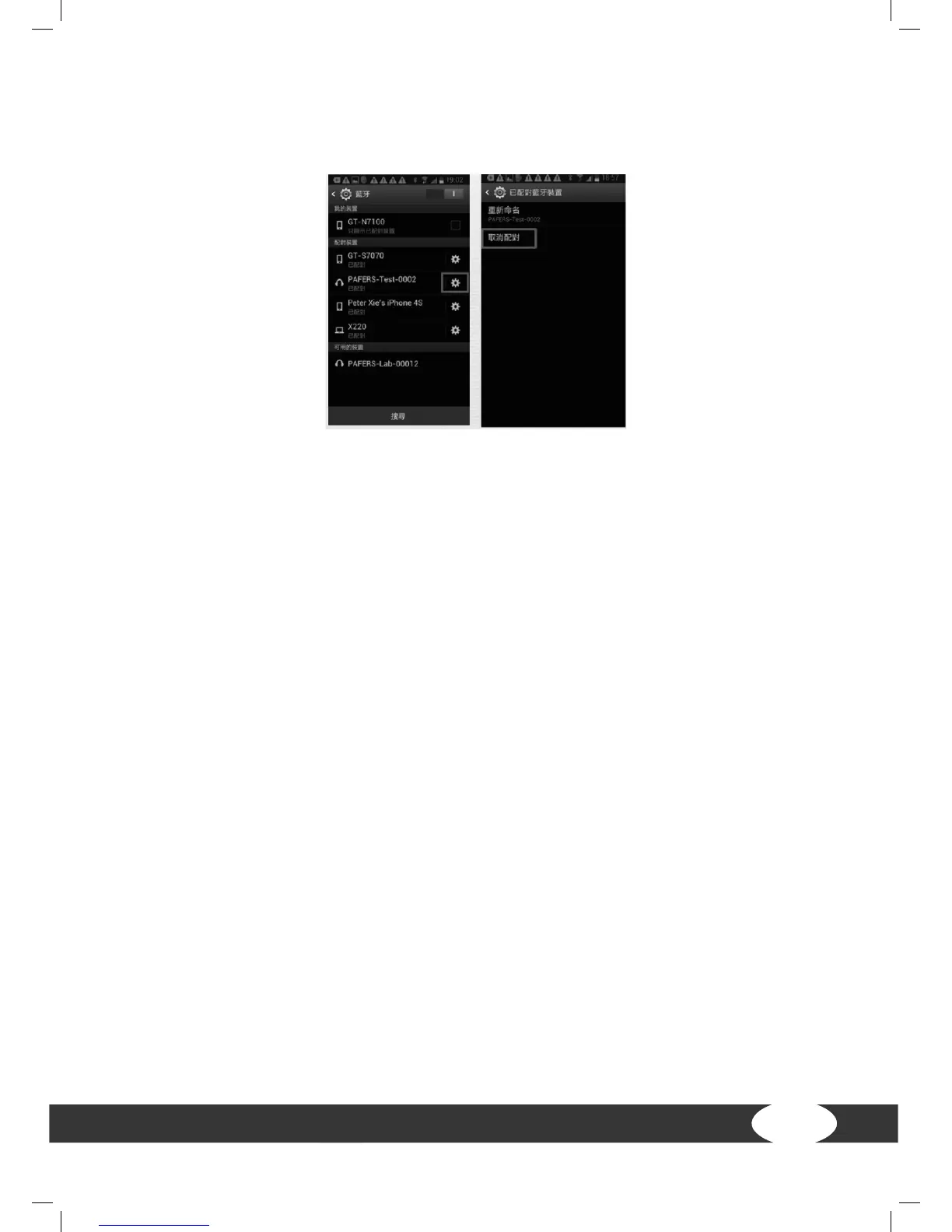
Enter the Android tablet setting program. Press “cancel matching”. Close the Bluetooth
function and turn o the treadmill. Turn on the treadmill again after 10 seconds.
Enter the Android tablet setting program. Open the Bluetooth function. Search for
the Bluetooth device name from the treadmill and connect again. Once you have
successfully connected, please go back to the desktop and restart the PAFERS APP.


 To Next Page