Maintenance, Service, and Repair
Front Axle Page 11
1. Make sure the key-switch is in the “OFF” position, then remove
the key.
2. Place the forward-reverse switch in the center “OFF” position.
3. Set the park brake.
4. Place blocks under the rear wheels to prevent vehicle movement.
5. Disconnect the main positive and negative cables at the batteries.
Always use a lifting strap, hoist, and jack stands, of adequate capacity
to lift and support the vehicle. Failure to use lifting and support devices
of rated load capacity may result in severe bodily injury.
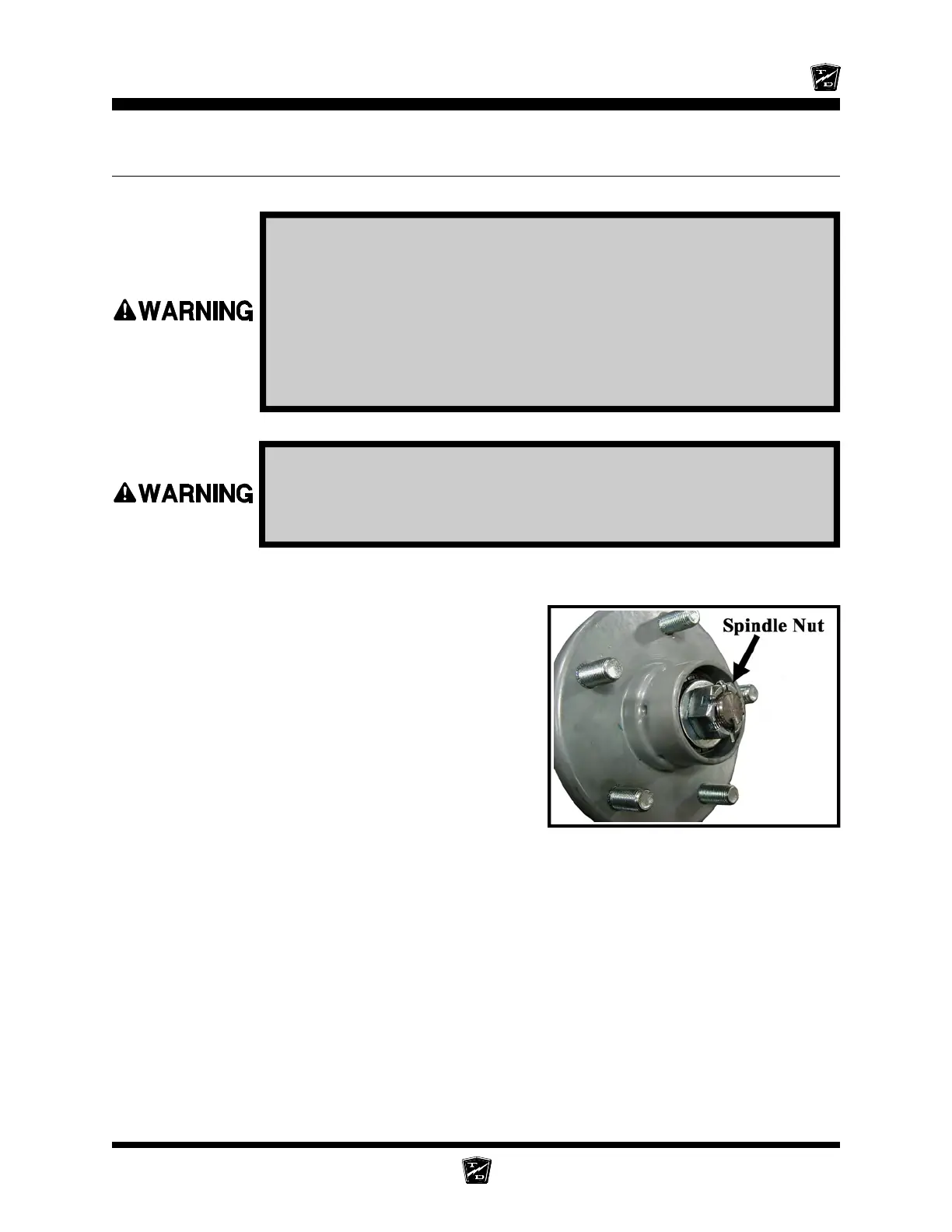
Hub with Dust Cap Removed
REPLACE THE STEERING KNUCKLE
6. Raise the front of the vehicle and support with jack stands.
7. Remove the tire/wheel assembly. Refer to Tires and Wheels section for information regarding
removing the tire/wheel assembly.
8. Remove the hub bearing cap, cotter pin and nut,
then remove the hub from the steering knuckle.
NOTE: For a front disc brake option you must
remove the brake body before
removing the hub. Refer to the Brakes
section for information regarding the
removal of the brake body. Do not
remove the hydraulic brake line from
the brake body. If the brake line is
removed then it will be necessary to
bleed the brakes.
NOTE: Catch the outer bearing as it falls out.
9. Remove the drag link and/or tie rod from the steering
knuckle. Refer to Replace the Ball Joints, Tie Rods, Drag Link in this section for information
regarding removal of the drag link or tie rod.
10. While supporting the knuckle, remove the king pin and thrust bearing.
11. Remove the knuckle from the axle.




 To Next Page