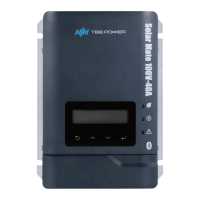
MPPT charge controller User Manual
>Para_Battery
Under the Setting menu, there are three parameter Setting options, among which
EQ Setting needs to select the corresponding battery type to open.
>Basic Setting
Detail Setting
>EQ Setting
In Basic Setting, there are the following Setting options.
Display Setting range Description
Battery_AH 100~2000AH
Default setting:1000AH
Battery capacity setting
Battery_Type
0- GEL/OPzV
1- AGM
2- Lead-Carbon
3- Flooded
4- Traction
5- OpzS
Default
setting:0-GEL/OPzV
Battery type setting Select
3~5 to unlock EQ function.
The default charging
voltage of different
batteries is shown in Table
7-1.
BAT_Bank_Volt
24V
48V
Default setting:48V
Battery bank voltage
setting
In Detail Setting, there are the following Setting options.
Display Setting range Description
U_AVE_CHG
(U_Float_CHG+0.3)~
(BAT_OV_WARN-0.2)V
( The minimum value is
12V, The maximum value
is 15.2V)
Default setting:14.1V
The average charging
voltage of a single battery
(Battery specification by
12V/ section)
Note: This value will be
changed when changing
the battery type , users
can reset it with their
requirements.
U_Float_CHG
The minimum value is
11.5~(U_AVE_CHG -0.3)V
,The maximum value is
14.5V
Default setting:13.6V
The float charging voltage
of a single battery (Battery
specification by 12V/
section) Note: This value
will be changed when
changing the battery type,
users can reset it with their
needs.
BAT_OV_Warn (U_AVE_CHG +
0.2)~15.5V
(The minimum value is
12V, and the maximum
value is depended by the
battery type.)
The over voltage warning
of a single battery (Battery
specification by 12V/
section)


 To Next Page