Technical specifications
Ditto Stereo Looper English Manual 19
Changing the batteries
If you need to change the batteries of your pedal,
proceed as follows:
– Unscrew the cross-head screw on the back
of the pedal and detach the backplate.
– Unmount the old batteries and attach the
new batteries to the battery clips. Make sure
the polarity is correct!
– Remount the backplate.
Notes regarding batteries
– Batteries must never be heated, taken apart
or thrown into fire or water.
– Only rechargeable batteries can be re-
charged.
– Remove the batteries when the pedal is not
being used for a longer period of time to save
battery life.
– Dispose batteries according to local laws and
regulations.
Technical specifications
– Maximum loop length: 5 minutes
– Maximum no. of overdubs: Unlimited
– Bypass mode: True Bypass
– Latency: None (analog dry-through)
– Dimensions (Width x depth x height):
72 mm x 122 mm x 50 mm /
2.8” x 4.8” x 2”
– Weight: 420 g / 0.94 lbs.
– Input connectors:
Stereo – 2 standard TS ¼” jacks
– Output connector type:
Stereo – 2 standard TS ¼” jacks
– Power input: Standard 9 V DC, centre nega-
tive (not supplied)
– USB connector type: Mini-B USB
Controls:
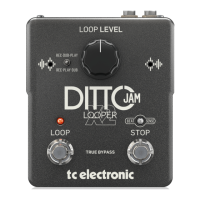
– Loop level knob
– Loop footswitch
– Store / Backing track level switch
Due to continuous development, these speci-
fications are subject to change without no-
tice.







 To Next Page