EasyManua.ls Logo

Teac AG-360 - Radio Reception; Auto Tuning Method; Manual Tuning Method; Preset Tuning Function

Teac AG-360
22 pages
Print Icon
To Next Page IconTo Next Page
To Previous Page IconTo Previous Page
Loading...
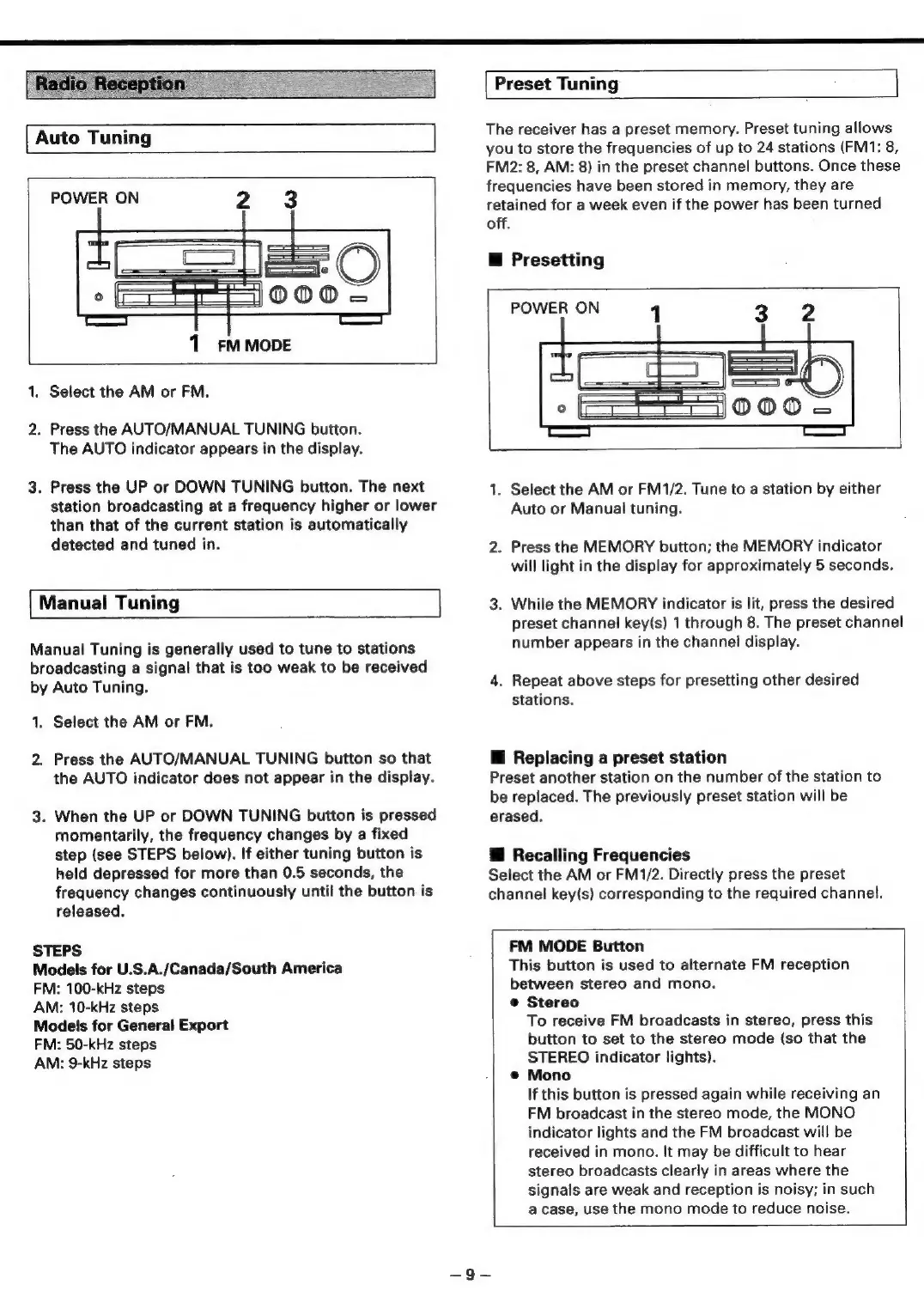
Auto
Tuning
POWER
ON
2
3
—_—
-
°
tw)
c()
O
o
1
FM
MODE
1.
Select
the
AM
or
FM.
2.
Press
the
AUTO/MANUAL
TUNING
button.
The
AUTO
indicator
appears
in
the
display.
3.
Press
the
UP
or
DOWN
TUNING
button.
The
next
station
broadcasting
at
a
frequency
higher
or
lower
than
that
of
the
current
station
is
automatically
detected
and
tuned
in.
Manual
Tuning
Manual
Tuning
is
generally
used
to
tune
to
stations
broadcasting
a
signal
that
is
too
weak
to
be
received
by
Auto
Tuning.
1.
Select
the
AM
or
FM.
2.
Press
the
AUTO/MANUAL
TUNING
button
so
that
the
AUTO
indicator
does
not
appear
in
the
display.
3.
When
the
UP
or
DOWN
TUNING
button
is
pressed
momentarily,
the
frequency
changes
by
a
fixed
step
(see
STEPS
below).
If
either
tuning
button
is
held
depressed
for
more
than
0.5
seconds,
the
frequency
changes
continuously
until
the
button
is
released.
STEPS
Models
for
U.S.A./Canada/South
America
FM:
100-kHz
steps
AM:
10-kHz
steps
Models
for
General
Export
FM:
50-kHz
steps
AM:
9-kHz
steps
Preset
Tuning
The
receiver
has
a
preset
memory.
Preset
tuning
allows
you
to
store
the
frequencies
of
up
to
24
stations
(FM1:
8,
FM2:
8,
AM:
8)
in
the
preset
channel
buttons.
Once
these
frequencies
have
been
stored
in
memory,
they
are
retained
for
a
week
even
if
the
power
has
been
turned
off.
@
Presetting
POWER
ON
1
3
2
°
@O0Oca
1.
Select
the
AM
or
FM1/2.
Tune
to
a
station
by
either
Auto
or
Manual
tuning.
2.
Press
the
MEMORY
button;
the
MEMORY
indicator
will
light
in
the
display
for
approximately
5
seconds.
3.
While
the
MEMORY
indicator
is
lit,
press
the
desired
preset
channel
key(s)
1
through
8.
The
preset
channel
number
appears
in
the
channel
display.
4.
Repeat
above
steps
for
presetting
other
desired
stations.
li
Replacing
a
preset
station
Preset
another
station
on
the
number
of
the
station
to
be
replaced.
The
previously
preset
station
will
be
erased.
Hf
Recalling
Frequencies
Select
the
AM
or
FM1/2.
Directly
press
the
preset
channel
key(s)
corresponding
to
the
required
channel.
FM
MODE
Button
This
button
is
used
to
alternate
FM
reception
between
stereo
and
mono.
@
Stereo
To
receive
FM
broadcasts
in
stereo,
press
this
button
to
set
to
the
stereo
mode
(so
that
the
STEREO
indicator
lights).
@
Mono
If
this
button
is
pressed
again
while
receiving
an
FM
broadcast
in
the
stereo
mode,
the
MONO
indicator
lights
and
the
FM
broadcast
will
be
received
in
mono.
It
may
be
difficult
to
hear
stereo
broadcasts
clearly
in
areas
where
the
signals
are
weak
and
reception
is
noisy;
in
such
a
case,
use
the
mono
mode
to
reduce
noise.

Related product manuals