Home OperationHome Operation
36
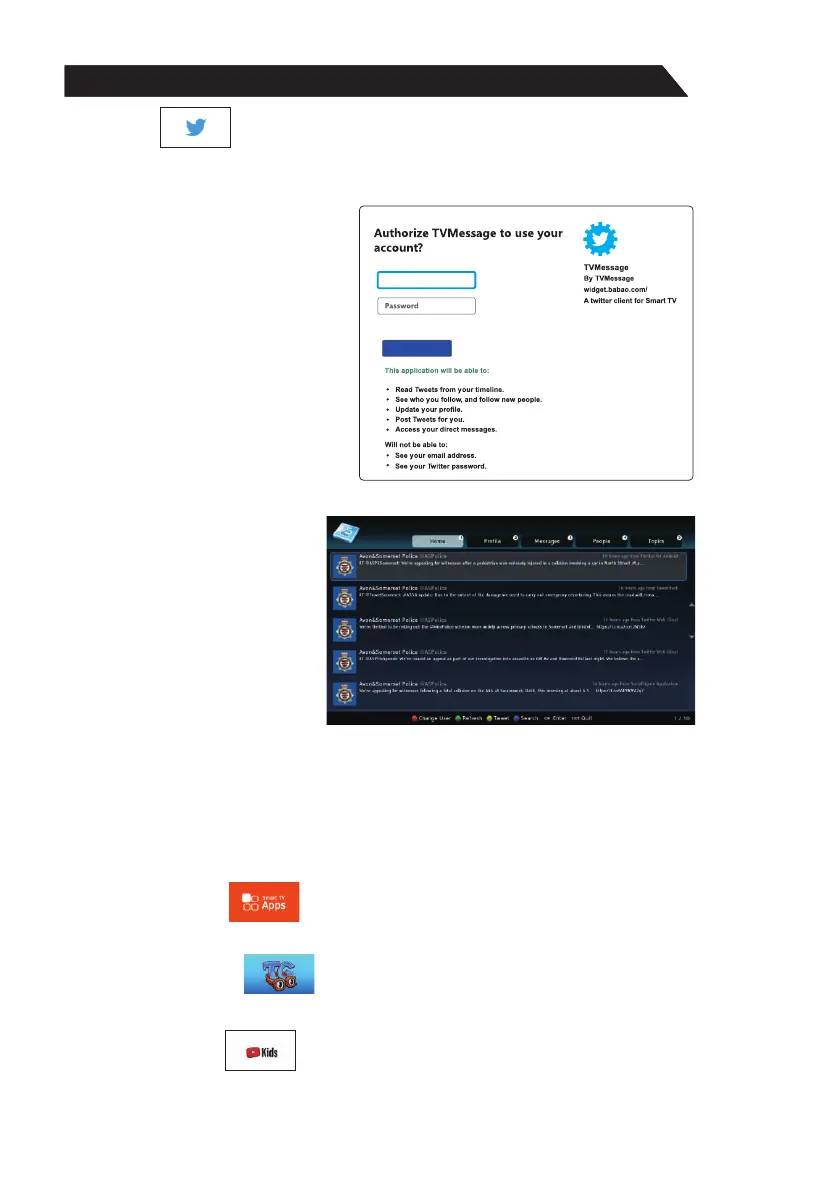
4)Twitter
Œ Use arrow key to select Twitter icon, then press “ENTER” key to enter Twitter.
Input the right Email and password, then select “Authorize app” button and press
“ENTER” key to log in.
Ž Use arrow key to browse the pages. press “Back” key to return to main menu and
press “EXIT” key to exit twitter.
Red key: log in or log out twitter.
Green key: refresh current page.
Yellow key: write new twitter.
Blue key: Search twitter.
6)TOON GOGGLES
Open Toon Goggles to watch fun and educational cartoons.
7)Youtube Kids
Application for Kids to watck videos on Youtube.
Authorise app
User name or email
5) Smart TV Apps
Smart TV Apps is netrange store for applications online using.



 To Next Page