9-1
9. REMOVAL AND REPLACEMENT OF MEDIA
9. REMOVAL AND REPLACEMENT OF MEDIA
EM1-31064
9. REMOVAL AND REPLACEMENT OF MEDIA
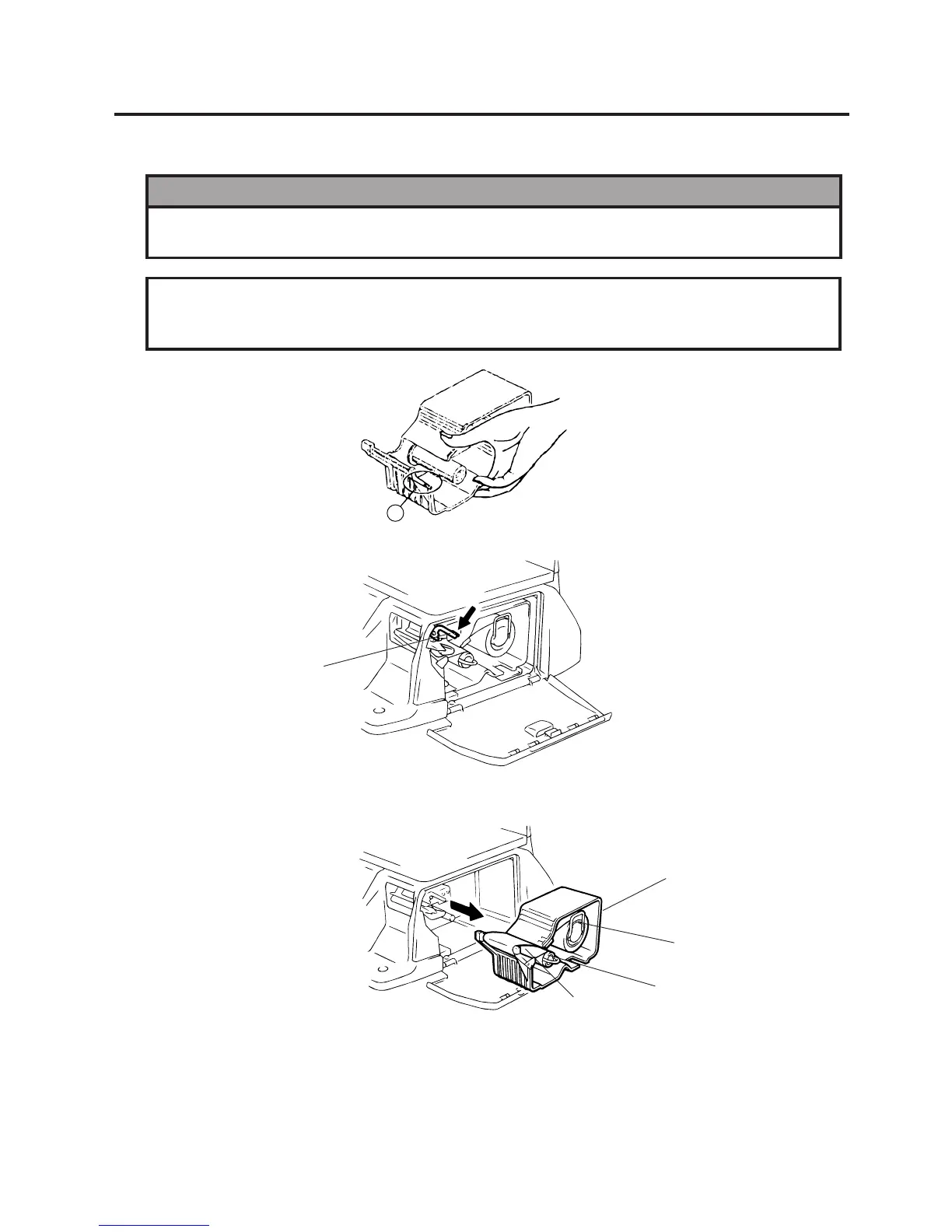
1. Open the right cover. Then push the head-up lever in the direction indicated by the arrow.
A
Head-up Lever
2. Pull out the label cassette.
3. Pull out the roll stopper and the backing paper stopper, and remove the media core with backing paper.
Label Cassette
Roll Stopper
Backing Paper Stopper
Backing Paper
NOTE: When removing the backing paper, loosen the paper by turning the paper winding shaft
counterclockwise.
WARNING!
Since there is a cutter at the paper outlet, be careful not to injure your fingers when
replacing media.
CAUTION: Do not hold the label cassette by the portion A. Doing so may deform the label
cassette, causing damage when setting it in position. Please be sure to hold
the label cassette as the following figure shows.



 To Next Page