14-11
14. OPERATING PROCEDURES
EM1-31064
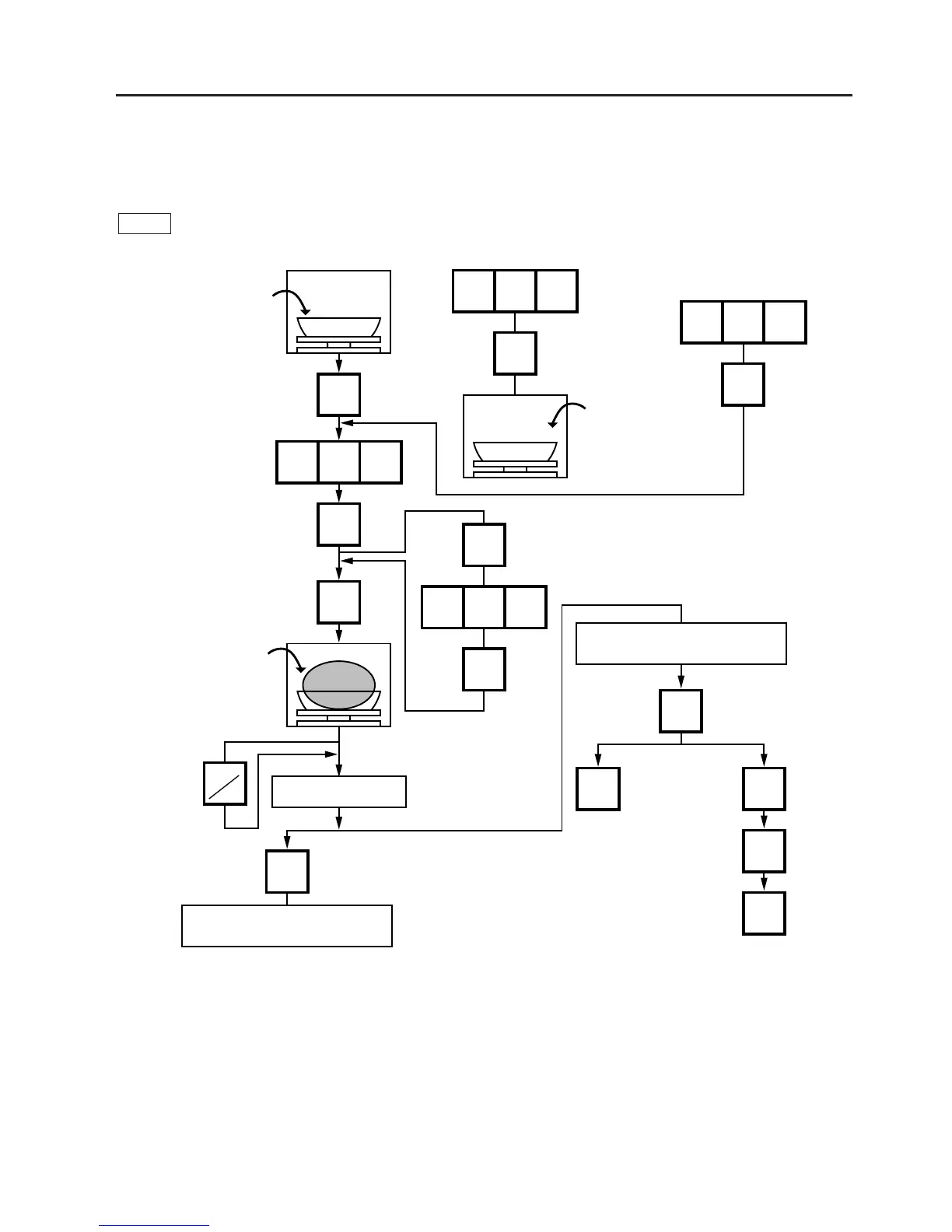
14.6 TARE/SAVE FUNCTION PROCEDURES
14.6 TARE/SAVE FUNCTION PROCEDURES
Menu: REG., M.DOWN, or REWRAP
Mode: WEIGH or FIX (Tare % function is available in WEIGH mode only.)
There are two kinds of tare subtraction procedures, one is “Direct tare”, the other is “Preset tare”. The
SAVE key is used to save the tare, unit price, and PLU data after taking a commodity from the platter.
0.200 lb
T
T
%
%
%
C
100
100
0
T
200
100
PLU
SAVE
PRT
*
C
Remove the commodity
together with the container.
Remove the commodity
together with the container.
The label is issued.
PLU
PLU
NOTES: 1. Tare subtraction is available up to 2.000 lb. for US type, and up to 1.000kg (2.205lb) for the
CA/QR type. When tare subtraction is in operation, however, the scalable range for net weight
becomes less by the amount of the tare. (Net weight = Gross weight-Tare)
2. Preset tare must be a multiple of 2 g for CA/QR type (Kg scale) and a multiple of 0.005 lb for
US/CA type (Lb scale).
3. The tare % function is available when the Initial Setting #8-7 is set to 1 (SL-9000) or #28-4
is set to 1 (SL-9000N). The speed key #70 will function as the % key (Refer to page 5-3). Set
a tare % within the range from 0.0 to 99.9.
4. When a commodity is placed on the platter and the calculated tare exceeds the maximum,
a “TARE WEIGH OVER” error will occur.
Place a container on
the platter.
(Ex. 0.200 lb)
Press:
Enter the PLU #.
Press:
The PLU data and tare
are saved.
Place a commodity into
the container. (Ex. 1.000
lb)
MANUAL:
Press:
:AUTO
Tare %
Press:
Tare %
Press:
Press:
Place a container on
the platter
Press:
Press:
Press:
CA type
US type



 To Next Page