11-24
11. PROGRAMMING PROCEDURES
EM1-31064
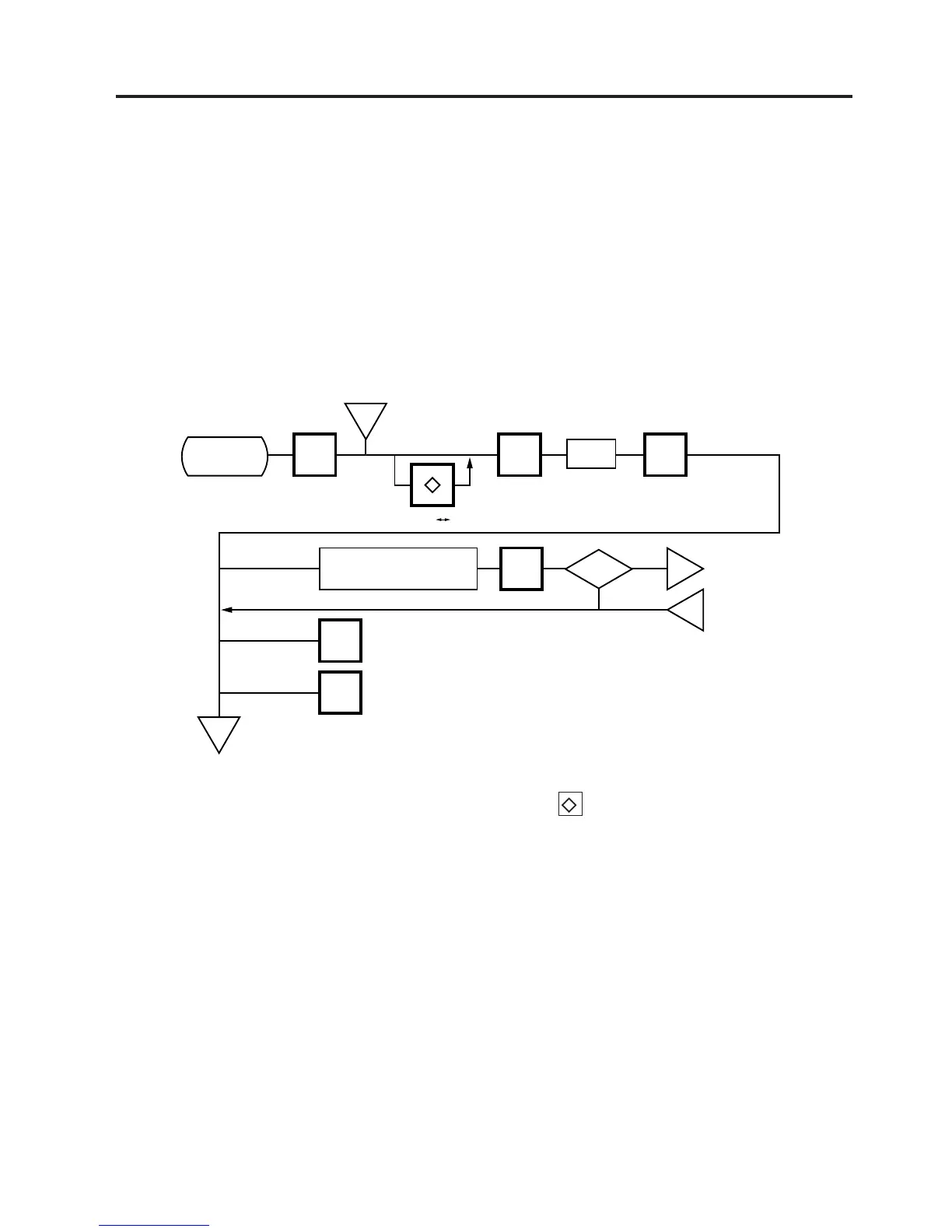
11.15 LON SYSTEM
11.15 LON SYSTEM
Menu Page: 2
Item No.: 4
The SL-9000 scales which consist of a master, satellites, and a backup master are connected each
other by the LON cable to transmit data such as PLU, ING., NUTRI, etc.
ID# 1 is reserved for the master terminal.
ID# 2 is reserved for the backup master terminal or satellite terminal.
ID# 3 to 32 are for satellite terminals.
Setting numbers other than the above results in an error.
NOTES: 1. Before starting the above procedure, press the key and enter IN-LINE mode.
2. When installing the backup master terminal, set the master scale’s initial status of #9-1 to
1.
3. Set ID # to all scales in a LON system.
4. When the display power is turned on, the satellite terminal is ready to receive data from
the master terminal.
5. After setting the ID #, turn the power switch OFF and ON again.
CHANGE
PLU
PROG.
ESC.
<MENU>
Page 2
Main
<MENU>
m
m
ENTER
ENTER
IN-LINE OFF-LINE
4
<MENU>
Page 2
ID #
DLL?
Yes
No
Set the number of
scales in the system.
ID#: 1
n
p



 To Next Page