11-17
11. PROGRAMMING PROCEDURES
EM1-31064
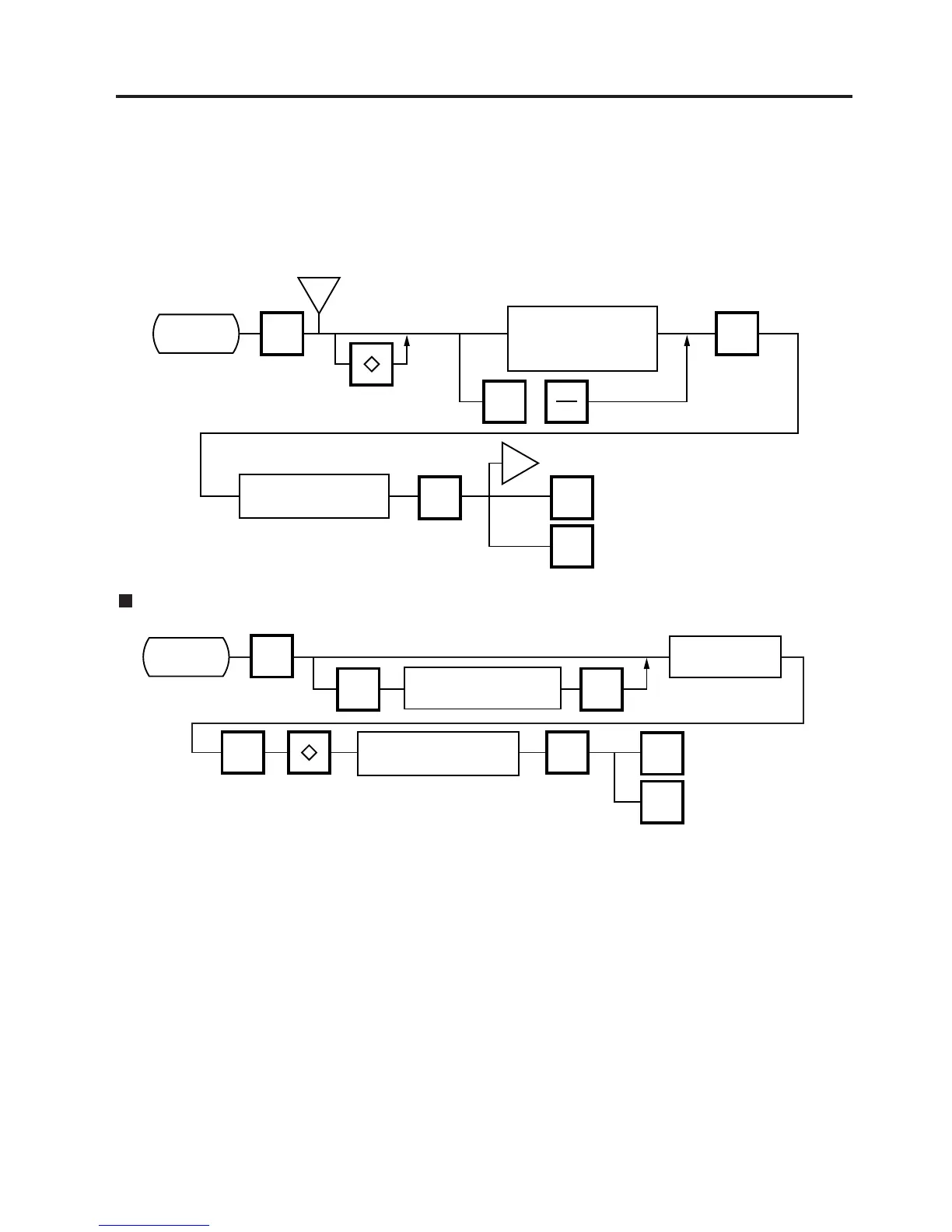
11.10 SPEED KEY SETTING
11.10 SPEED KEY SETTING
Menu Page: 1
Item No.: 9
The SL-9000 has a maximum of 70x2 speed keys which are very convenient to call PLUs quickly.
(Refer to page 5-3 regarding the Key Layout.)
i
9
ENTER
PROG.
ESC.
<MENU>
Page 1
Main
<MENU>
i
NEXT
PLU
or
ENTER
<MENU>
Page 1
Enter the PLU#.
(max. 6 dig.)
Enter the Speed
Key number
(# 1~70 X 2)
Select the 1st half or the
2nd half of the speed keys.
Setting Department/Vendor Number
9
PROG.
ESC.
<MENU>
Page 1
Main
<MENU>
<MENU>
Page 1
AUTO
CODE
Enter a default
department #. (1~99)
ENTER
ENTER ENTER
Enter the department #
or vendor #. (1 ~ 99)
Enter the speed
key number.
Selecting items to be
assigned to speed keys.
(PLU #/VENDOR #/DEPT #)
• Department Number
When initial set #10-6 is set to “1”, the six-digit PLU# is divided into two; the upper two digits are assigned to department #,
and the lower four digits to PLU.
The department # is automatically added in front of four-digit PLU# and treated as a six-digit PLU#.
In case of “PROG.”, “Report”, and “Reset” modes, PLU# is treated as a six-digit number. So the upper two digits are not
treated as department #. Consequently the four-digit PLU# is available only in “REG.”, “M.DOWM”, and “REWRAP”
modes.
NOTE: The default Dept. No. is two-digit serial number ranging from 0 to 99. Entering a “0” clears a Dept. No.
• Vendor Number
Vendor numbers can be set when the Initial Setting #11-1 is set to 1.
Vendor numbers are assigned to the speed keys in two ways:
1 Individual vendor number: 00-39
Vendor# is assigned to the speed keys one by one.
2 Group vendor number: 0-, 1-, 2- and 3-
Maximum 10 vendor numbers can be assigned to one speed key, resulting in 4 speed keys in total. When assigning
group vendor numbers to the speed keys, enter the first digit of the vendor key (0, 1, 2 or 3) plus a bar (-).



 To Next Page