34
Below are the key parameters:
Indicates which input port the channels comes from
Input the frequency of transponder which you want to receive programs.
The unit is MHz
Input the symbol rate of the transponder. The unit is KS/s
Select the voltage provided to LNB (13V for vertical or 18V for
Horizontal).
Select the band of LNB you want to use, including Auto, Forced Low and
Forced High
Select the actual type of your LNB, Single Band or Dual Band
The low frequency of LNB. The unit is MHz
The high frequency of LNB. The unit is MHz
Enable or disenable the polarization setting.
Note:
1. Only LNB 1 & 3 inputs support polarization setting. LNB 2 & 4 cannot provide power
(13V or 18V) to the LNB.
2. Satellite parameters may changed, please coordinate with the content provider or
browse www.lyngsat.com for the updated parameters.
3. Symbol rate usually if:
b) Ku-Band: 11,300 KS/s.
c) C-Band: 5150 KS/s
After setting all parameters, you should press ‘Apply’ button to save the settings.
Status
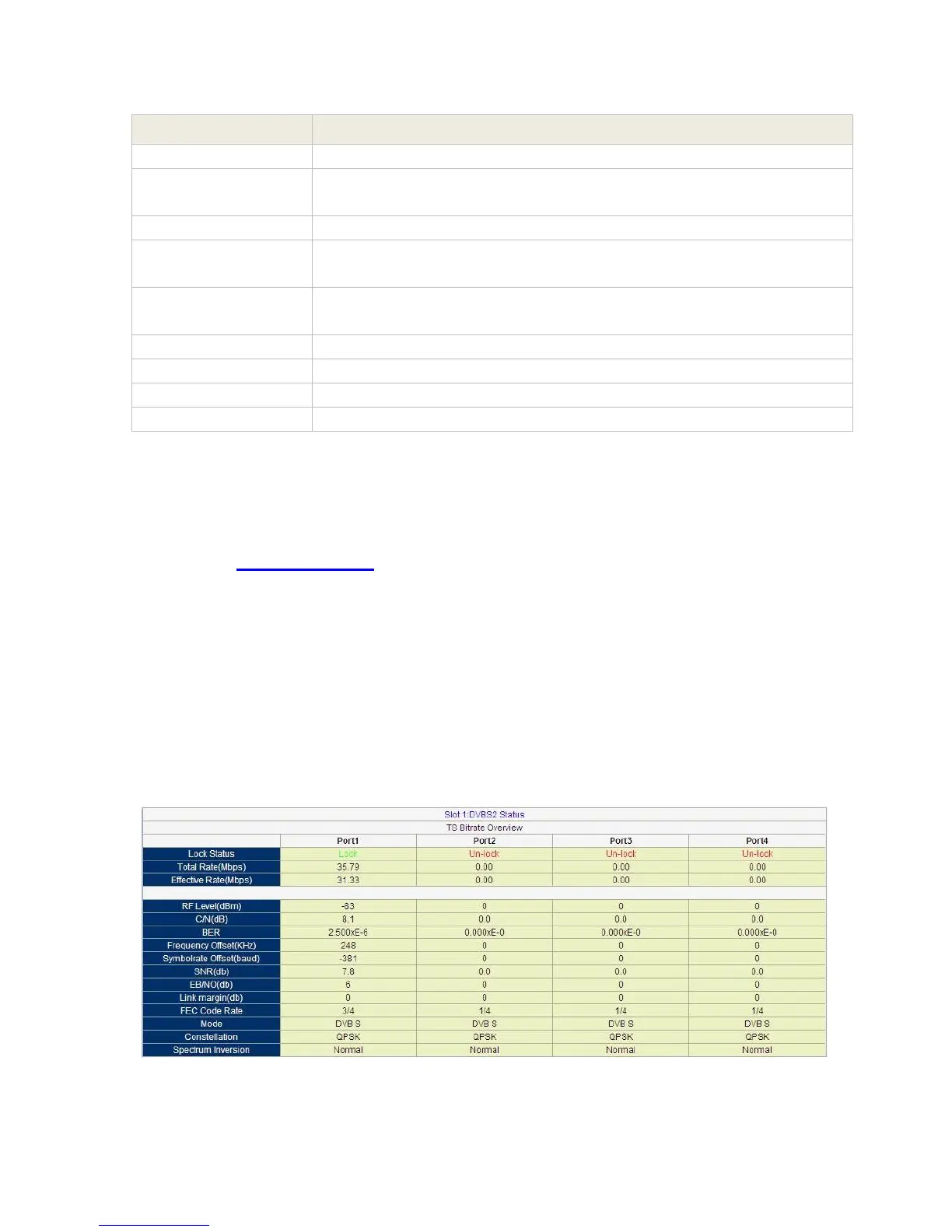
Go to “Status” tab and click sub-tab “DVB-S2”. The parameters of this part are derived from the
input signal; they will be gotten automatically when the input signal is available, and cannot be
changed by user.
Pic-3.1-26



 To Next Page