35
Note:
If there’s no signal received, please do as follows:
Check the Parameters and Setting configuration if it’s correct.
Check the Cable.
You can double check at the back of the equipment if there’s already a signal
coming in. The DVB-S2 module has a LED display as well, showing that the signal
is LOCK on the ports on which the signal was connected.
Introduction to the parameters of Status:
Indicates the total bit rate of input signal, including the valid and null
packet. The unit is Mbps
Indicates the bit rate of valid packet (excluding the null packet). The
unit is Mbps.
Indicates which input port the channel comes from.
Indicates whether the input signal is LOCK (green) or UNLOCK (red).
Indicates the real-time RF Level of the input signal.
Indicates the real-time carrier to noise ratio.
Indicates the real-time bit error rate.
Indicates the code rate which is used in FEC.
Indicates which standard the input signal is, DVB-S or DVB-S2.
Indicates the constellation used in the input signal.
Indicates the Spectrum status: normal or inverse.
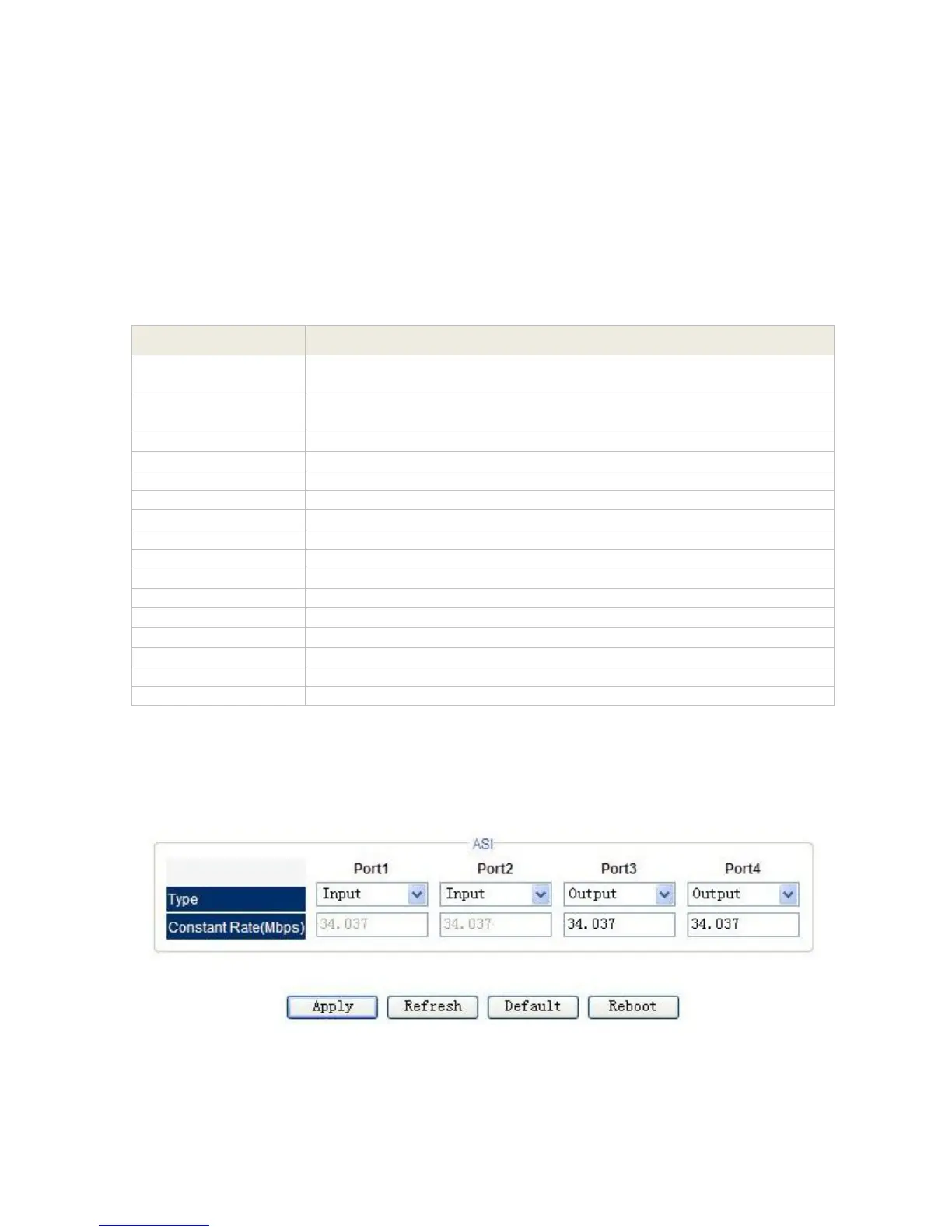
3.1.4.4 ASI I/O Module
Setting
Pic-3.1-27



 To Next Page