43
Below are the key parameters:
Select the bandwidth of output RF, 6M/7M/8M are available.
Set RF output signal level in dBu, the value RF Level is
90dBuV~112dBuV.
Enable or disable it according to the requirement of receiver.
Switch ‘Enable’ or ‘Disable’ for the selected channel output
Set the carrier frequency for the first modulation frequency.
Note: for the RF frequencies of port 2~4, they will be set
automatically by the NMS base on the frequency of port 1 and the
‘Bandwidth’ setting.
Select proper guard interval according to your network.
Select proper OFDM mode according to your network.
Select proper constellation according to your network.
Select proper FEC HP according to your network.
The maxrate is automatically calculated by the NMS according to the
QAM mode the user selects
After setting all parameters, you should press ‘Apply’ button to save the settings.
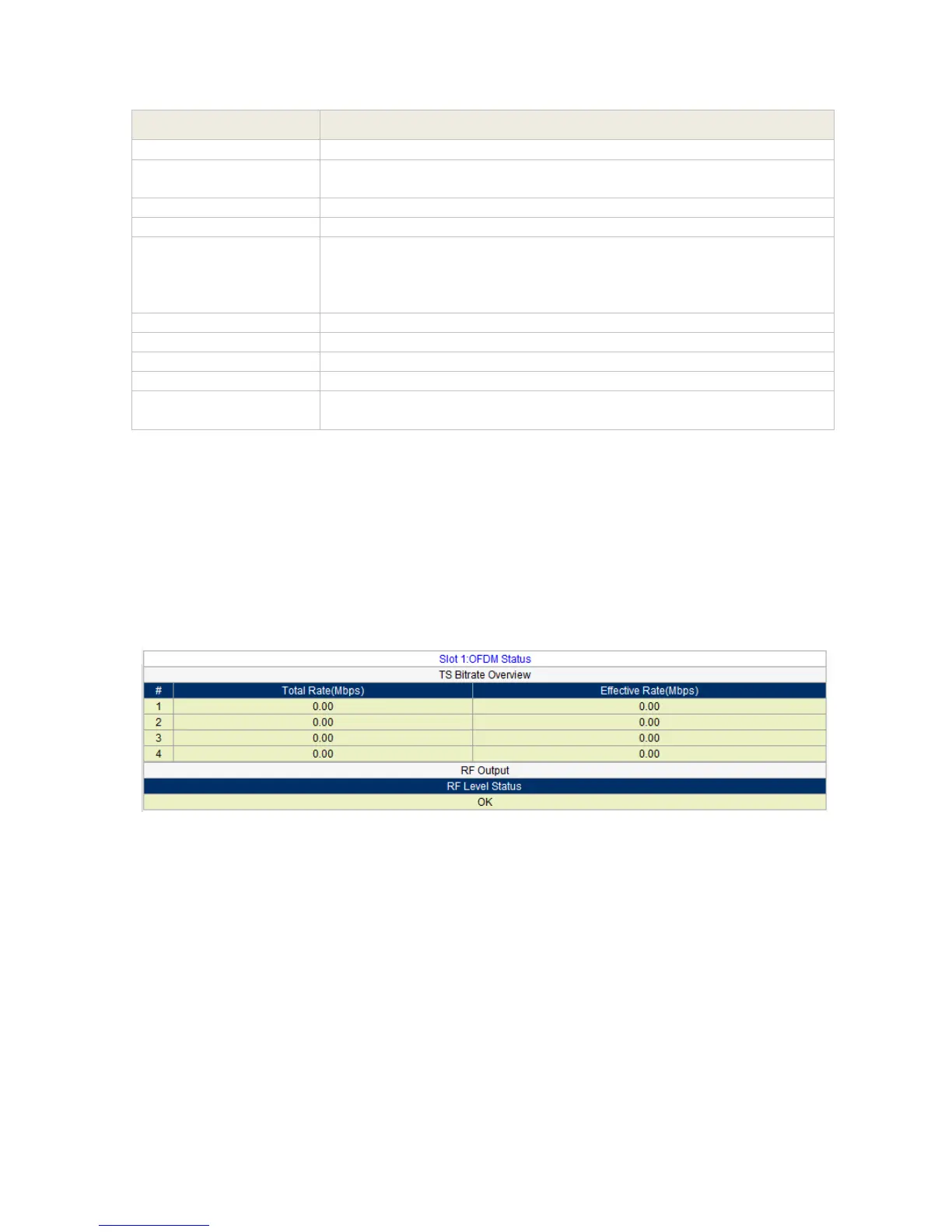
COFDM Module Status
Go to “Status” tab and click sub-tab “OFDM”. The parameters of this part are derived from the
input signal; they will be gotten automatically when the input signal is available, and cannot be
changed by the user.
Pic-3.1-36



 To Next Page