59
Below are the key parameters of the Setup page:
the time interval between two ECMs generated by ECMG.
the scrambler module supports up to 4 different CAS Simulcrypt. User
can enable or disable the running of different CAS system by selecting the
CA System filed as on / off.
This option allow customer to monitor the bitrate of the stream.
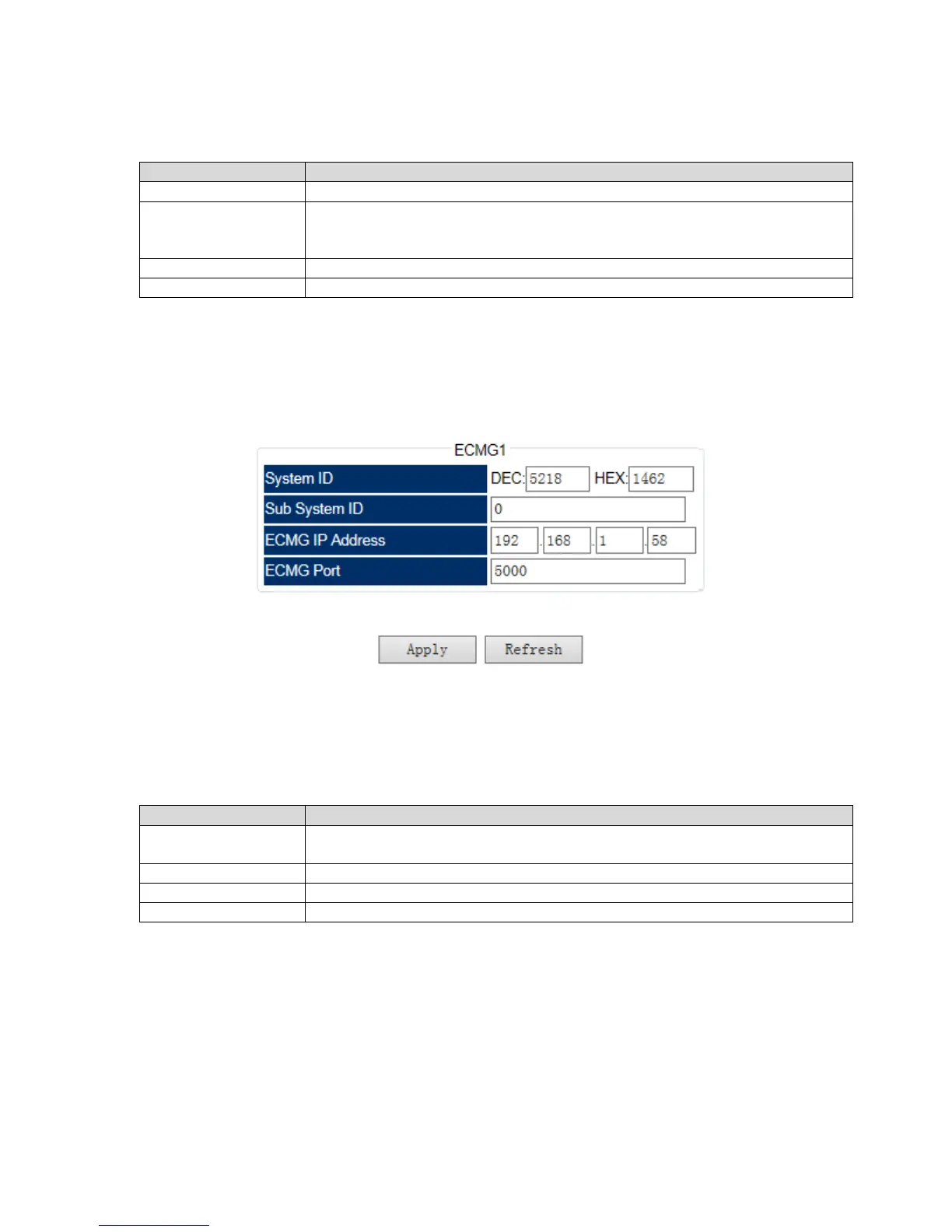
2. ECMG Setup: Customer can configure the ECMG from ECMG page.
Pic-3.1-54
Below are the key parameters for the configuration of this page:
Each CAS system has a unique SystemID when it is registered in DVB.
Please contact your CAS service provider if you don’t know what the ID is.
Input the Sub system ID if the CA system required.
Input the CAS server IP address.
Input the same ECMG port No. which is set in the CA system.
3. ECM Setting: This page allow system operator to set the parameters for ECM information.
Customer can input the proper ECM PID and AC data for each service, and click Add to insert



 To Next Page