61
Below are the key parameters:
Input the same EMMG TCP Port No. as the setting in the CA system.
Input the same EMMG UDP Port No. as the setting in the CA system.
Input the same EMM bandwidth as the setting in the CA system.
Input the same EMM Channel ID as the setting in the CA system.
Input the same EMM Stream ID as the setting in the CA system.
Input the same EMM Data ID as the setting in the CA system.
After configuring on the scrambler module configuration window, user shall operate in
the “Service Configuration” tab to specify which program to be scrambled and transfer
to the transmission module (QAM/IP/ASI) for output. Operation steps are as following:
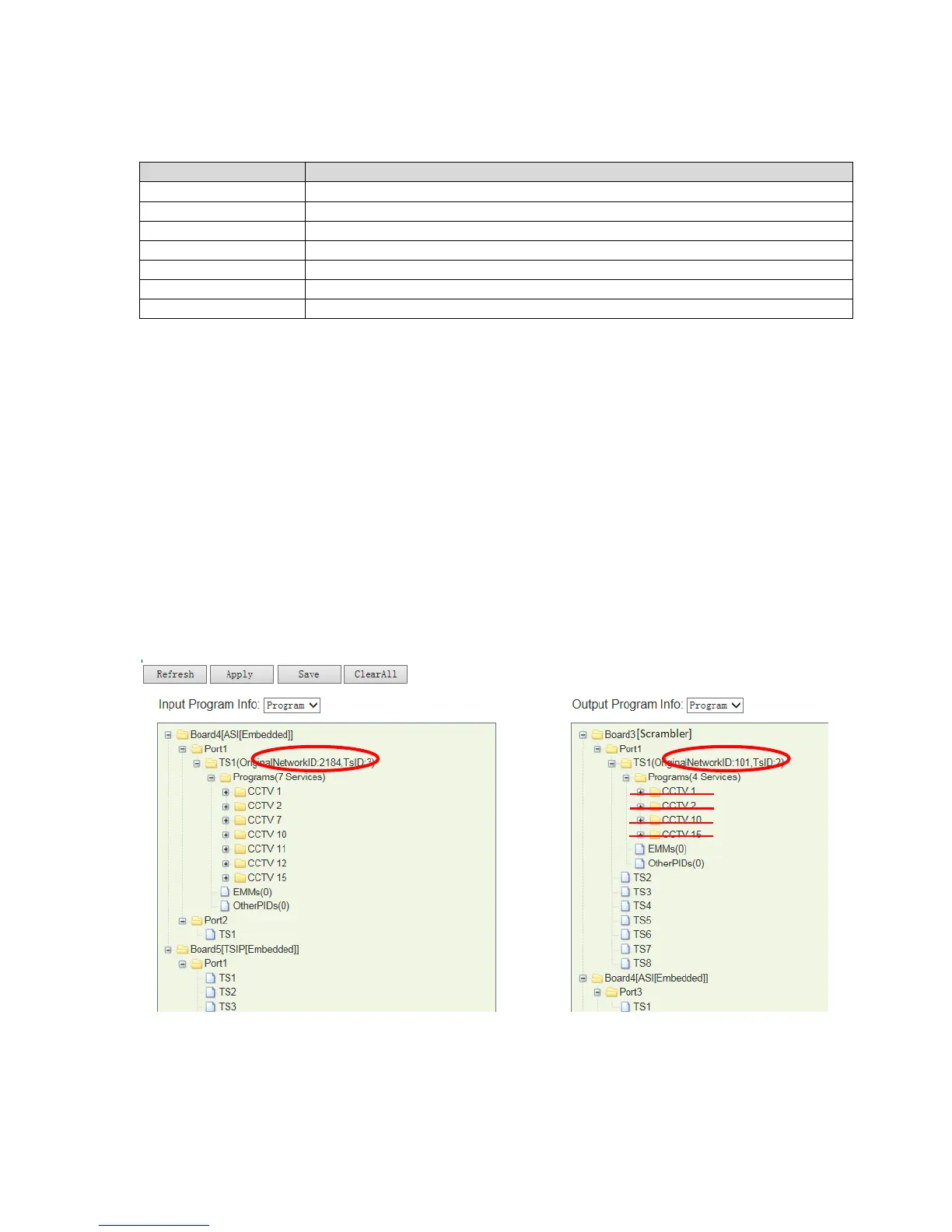
Select the program which is to be scrambled and transfer it from the signal source to the
scrambler module at “Output Program Info”. (To know how to transfer programs, please
refer to chapter xxx)
In below example picture, program “CCTV1, CCTV2, CCTV10, CCTV15” is selected and is
transferred from DVB-S2 module in “Input Program Info” window to scrambler module in
“Output Program Info” window.
Pic-3.1-57



 To Next Page