67
Setting
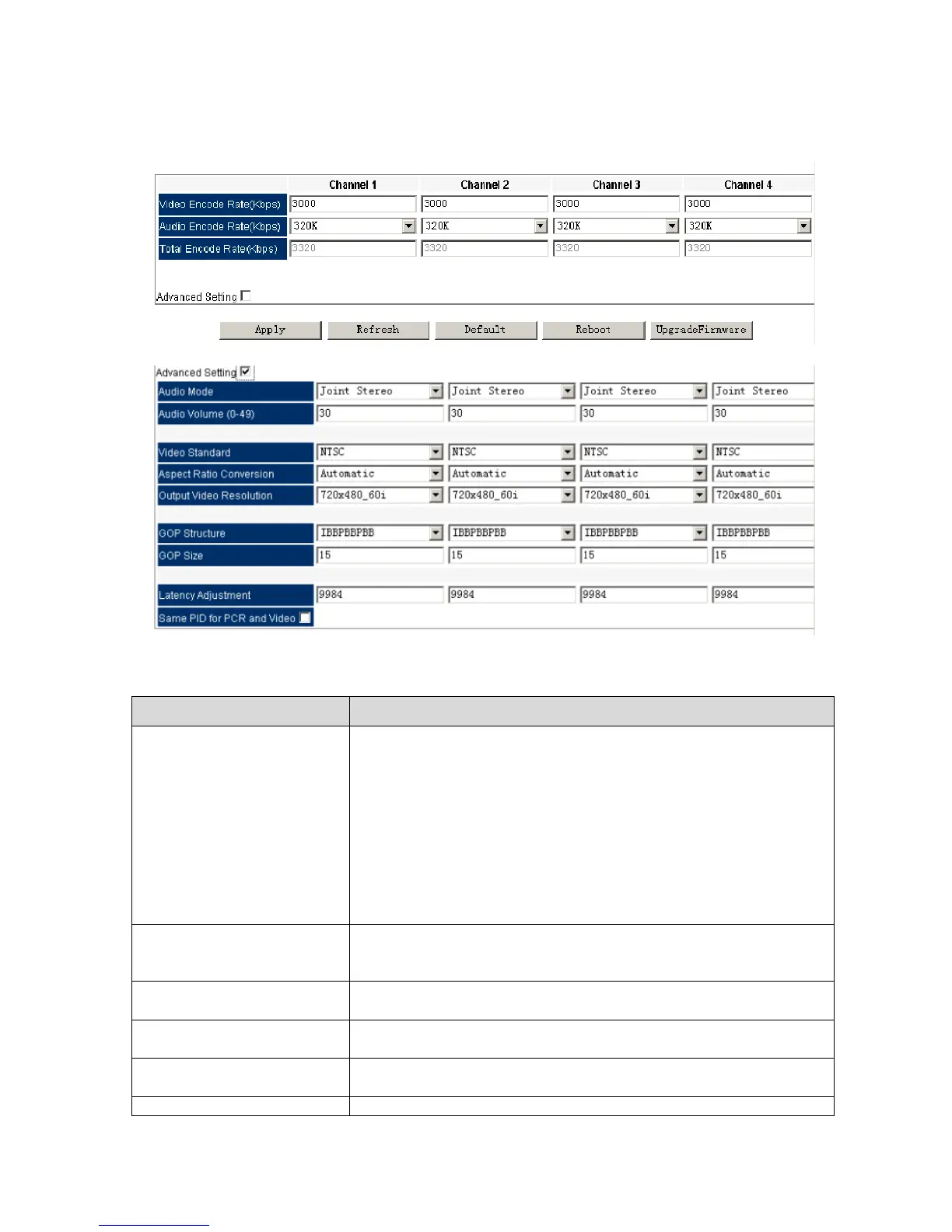
Pic-3.1-64
The channel quantity represents the supported max.
transcoding channels.
For 2-channel transcoding module, channel1~channel2 are
available in this option, while channel1~channel4 are
available for 4-channel module.
Each channel transcoding parameters can be set in
separated pages when selecting different channel.
To select output channel audio mode.
Options are available for:
Stereo/Left/Right/Mono/Dual
To set the Video encode bit rate. Range from
2.0Mbps~20.0Mbps
Select the audio encode bit rate, options: 64K, 128, 192K, 256K,
320K, 384K
Total encode rate generate automatically, can not be editable.
This bit rate is summed up by Video and audio encode rate.
Define the output channel volume after transcoding.



 To Next Page