223
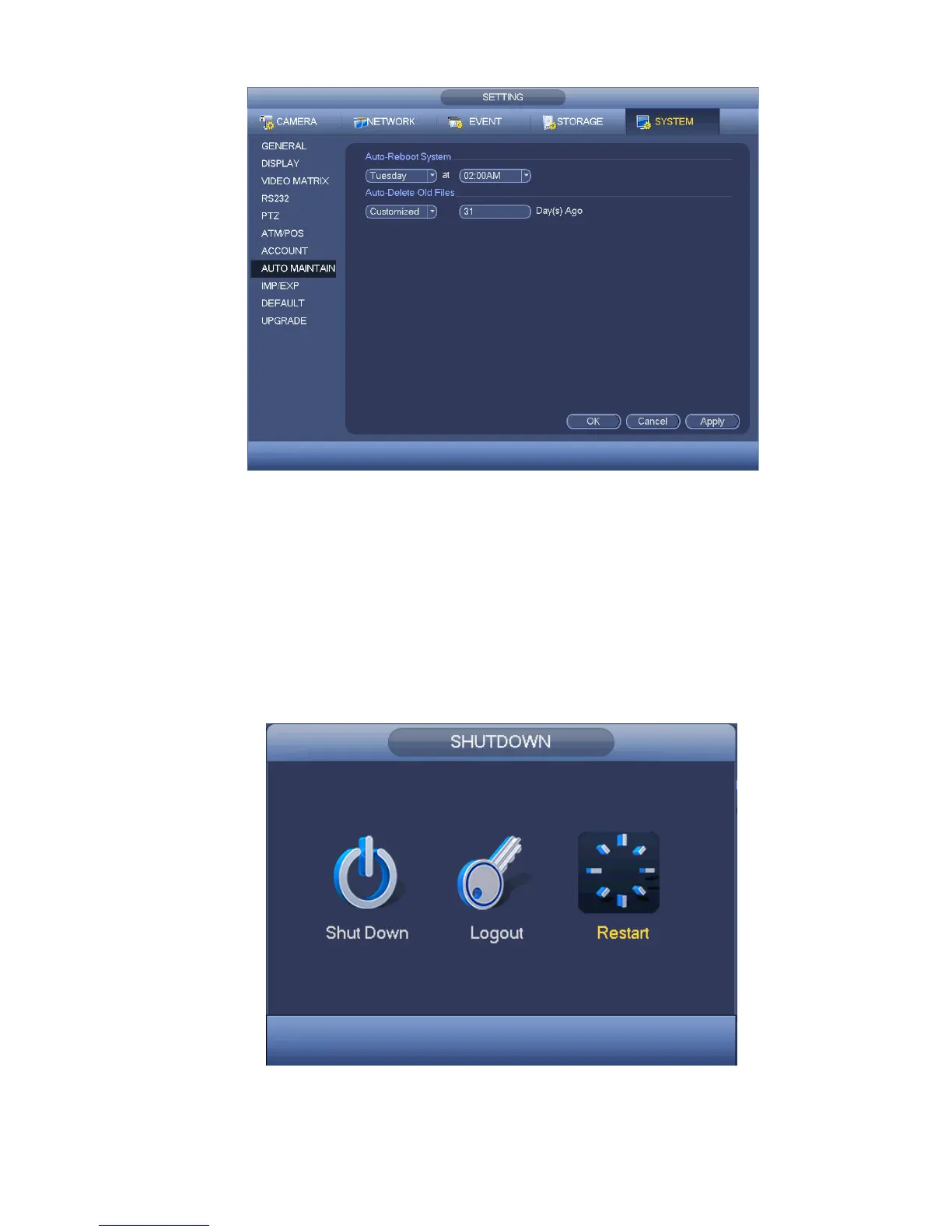
Figure 4-158
4.15.9 Logout /Shutdown/Restart
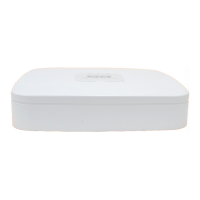
From Mani menu->Operation->Shutdown, you can see an interface shown as in Figure 4-159.
Shutdown: System shuts down and turns off power.
Logout: Log out menu. You need to input password when you login the next time.
Restart: reboot device.
If you shut down the device, there is a process bar for your reference, system waits for 3 seconds and
then shut down (You can not cancel).
Please note, sometimes you need to input the proper password to shut down the device.
Figure 4-159


 To Next Page