145
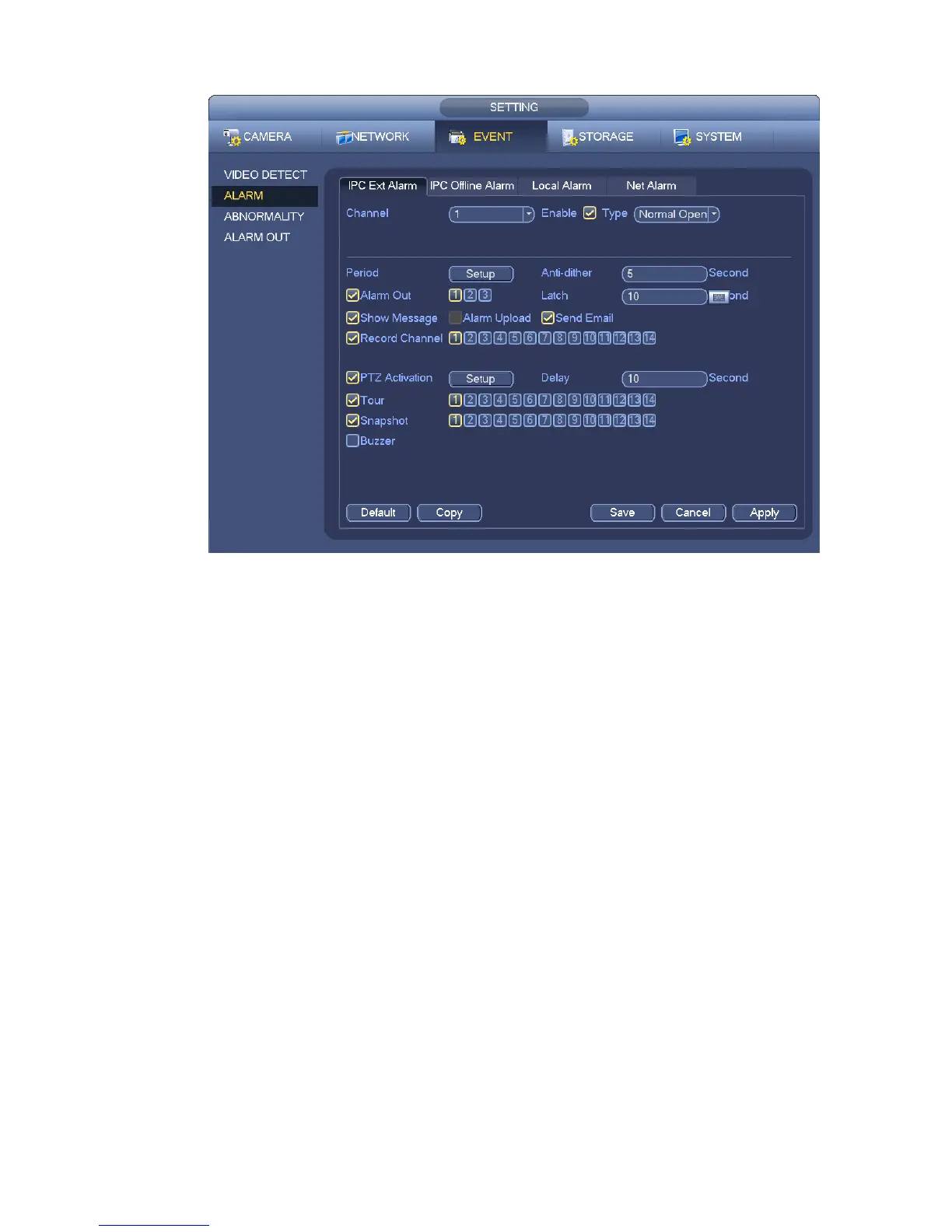
Figure 4-65
d) From Mani menu->Setting->Storage->Schedule, you can go to Figure 4-55.
e) Select alarm channel, period and the record type shall be alarm. Please refer to chapter 4.8.2.
f) Click Copy button to copy current setup to other channel(s).
g) Click OK button to save alarm record information.
4.8.4.2 Alarm Snapshot
a) Please refer to Step a) to step c) of chapter 4.8.3.2 to enable timing snapshot.
b) From Main menu->Setting->Storage->schedule, you can go to Figure 4-66 to enable snapshot
function.
c) From Main menu->Setting->Event->Alarm, you can go to Figure 4-65 to set alarm parameter
and enable snapshot function.
d) Click Save button to save alarm snapshot setup.


 To Next Page