108
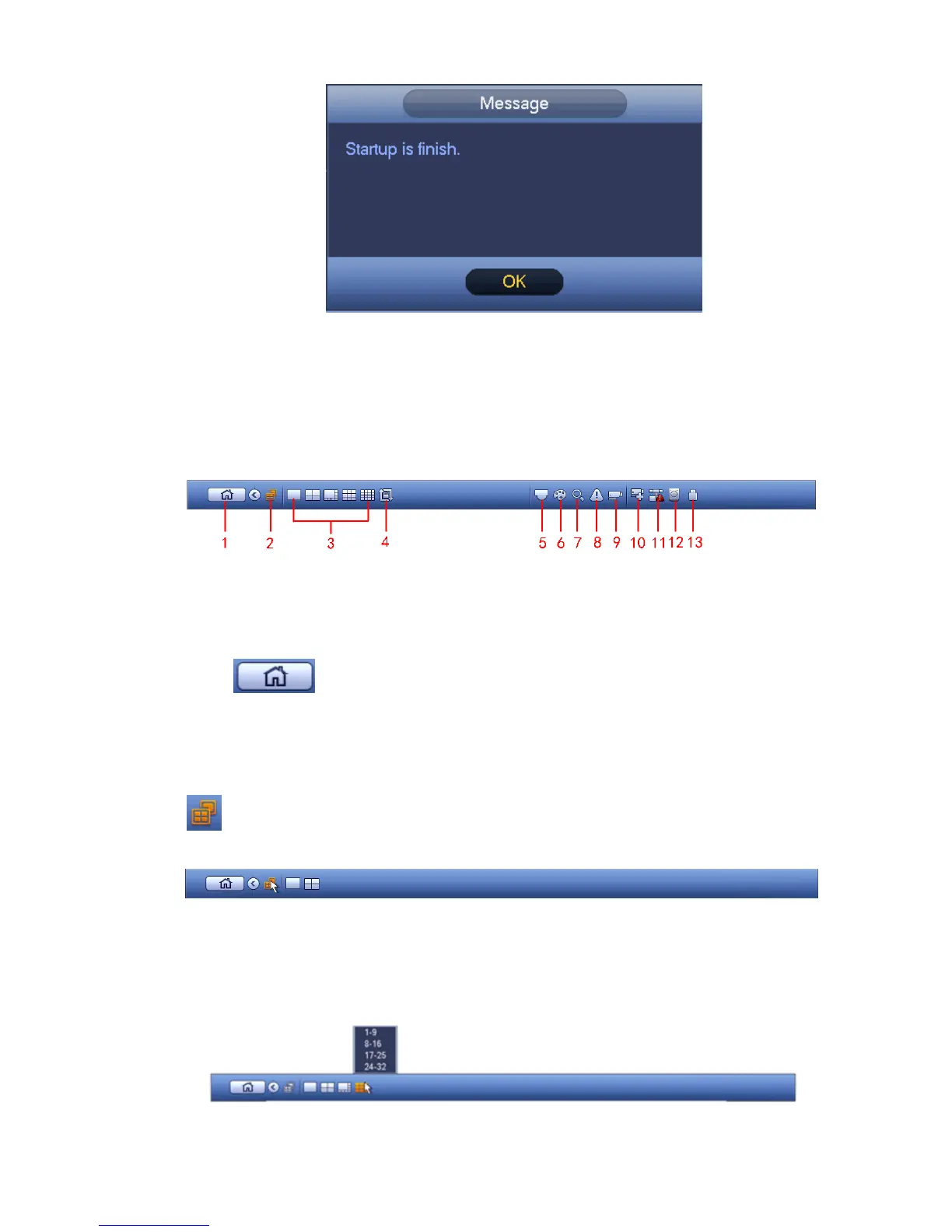
Figure 4-7
4.3 Navigation Bar
You need to go to the Main menu->Setting->System->General to enable navigation bar function;
otherwise you can not see the following interface.
The navigation bar is shown as below. See Figure 4-8.
Figure 4-8
4.3.1 Main Menu
Click button to go to the main menu interface.
4.3.2 Dual-screen operation
Important
This function is for some series only.
Click to select screen 2, you can view an interface shown as below. See Figure 4-9. It is a
navigation bar for screen 2.
Figure 4-9
Click any screen split mode; HDMI2 screen can display corresponding screens. Now you can control two
screens. See Figure 4-10.
Figure 4-10


 To Next Page