254
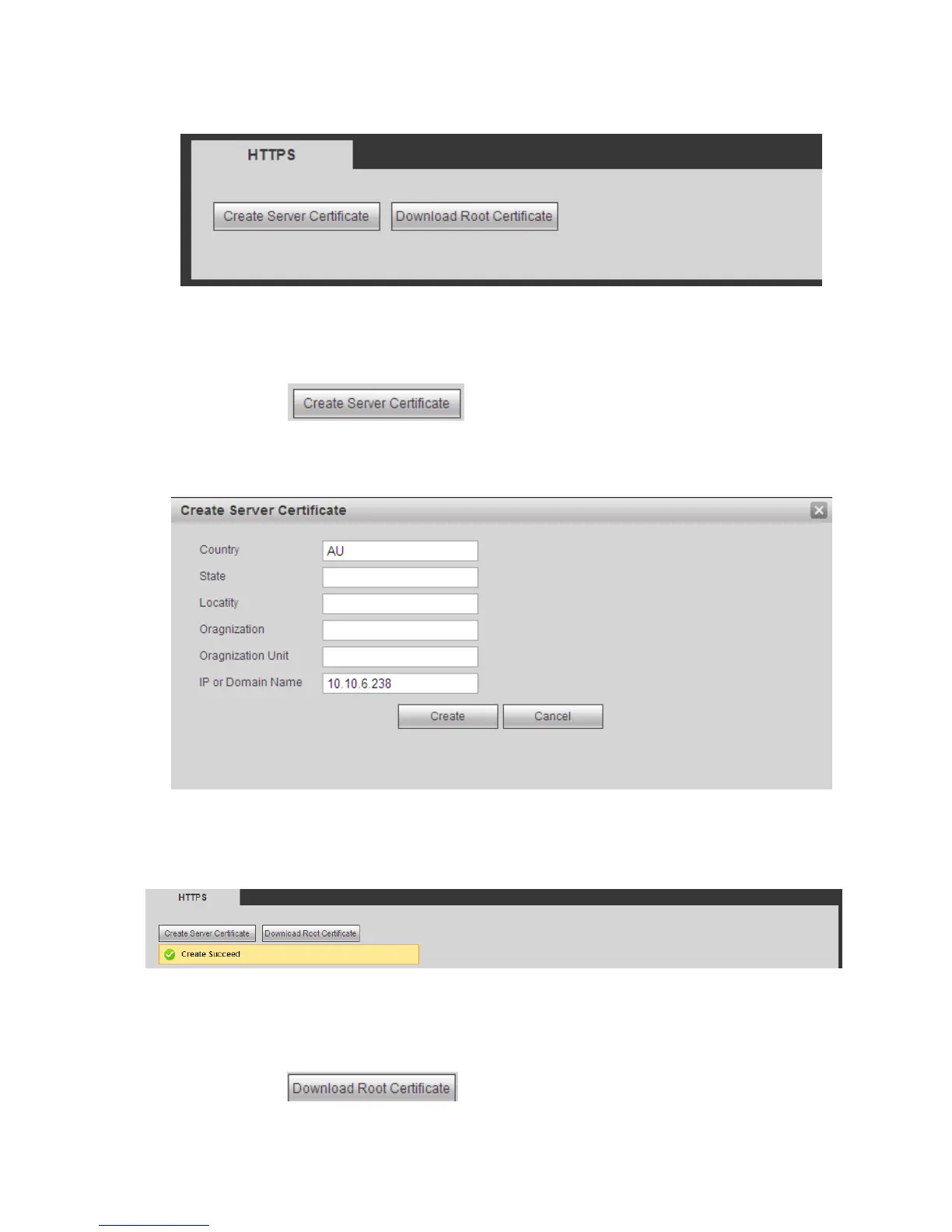
You need to implement server certificate again if you have changed device IP.
You need to download root certificate if it is your first time to use HTTPS on current PC.
Figure 5-42
5.8.2.15.1 Create Server Certificate
If it is your first time to use this function, please follow the steps listed below.
In Figure 5-42, click button, input country name, state name and etc. Click
Create button. See Figure 5-43.
Note
Please make sure the IP or domain information is the same as your device IP or domain name.
Figure 5-43
You can see the corresponding prompt. See Figure 5-44. Now the server certificate is successfully
created.
Figure 5-44
5.8.2.15.2 Download root certificate
In Figure 5-42, click button, system pops up a dialogue box. See Figure 5-45.


 To Next Page