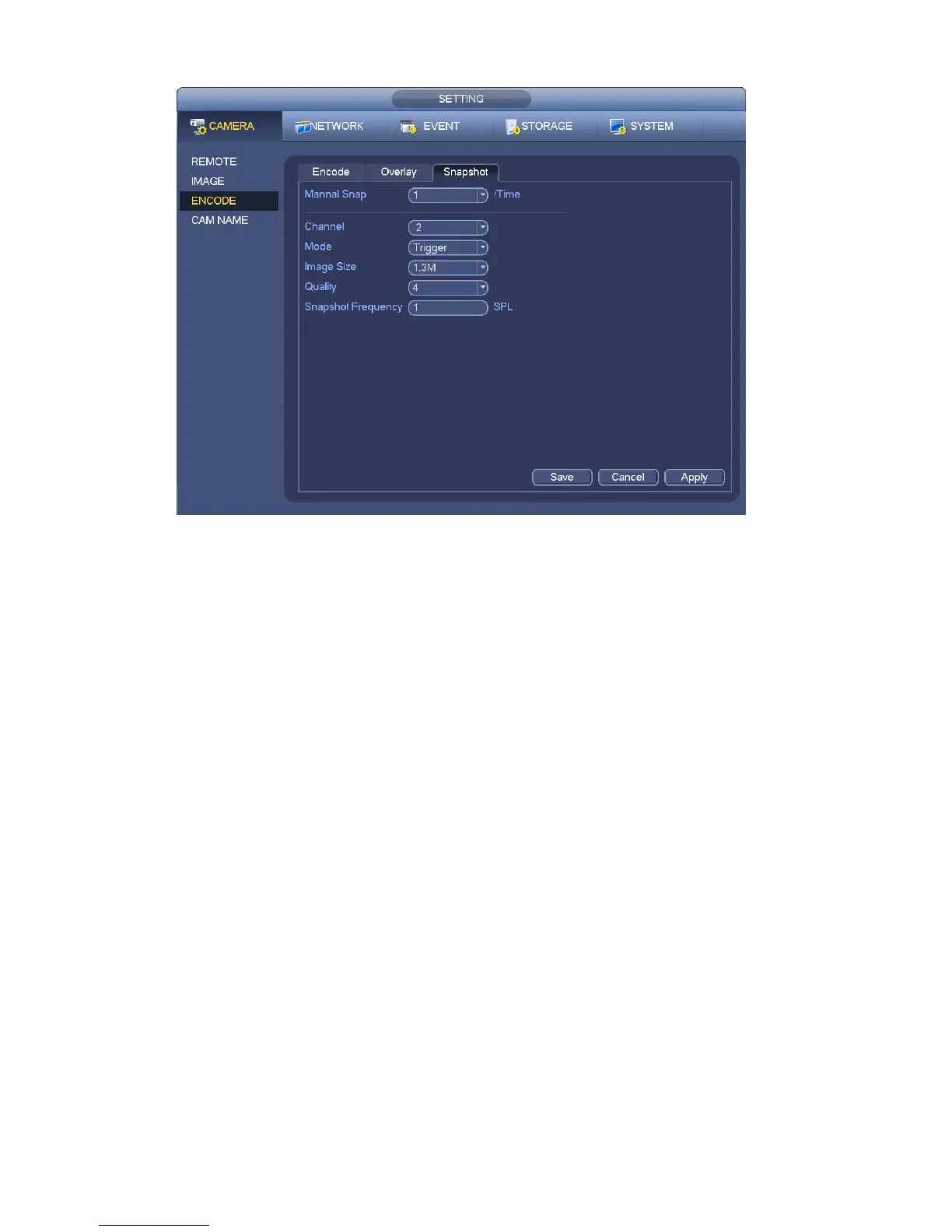
146
Figure 4-66
4.8.5 Manual Record/Snapshot
You need to have proper rights to implement the following operations. Please make sure the HDD
has been properly installed.
4.8.5.1 Manual Record
a) Right click mouse and select manual record or in the main menu, from
Setting->Storage->Manual Record. Manual record menu is shown as in Figure 4-67.
Tips
You can click Rec button on the front panel (if possible) to go to the Manual Record interface.


 To Next Page