281
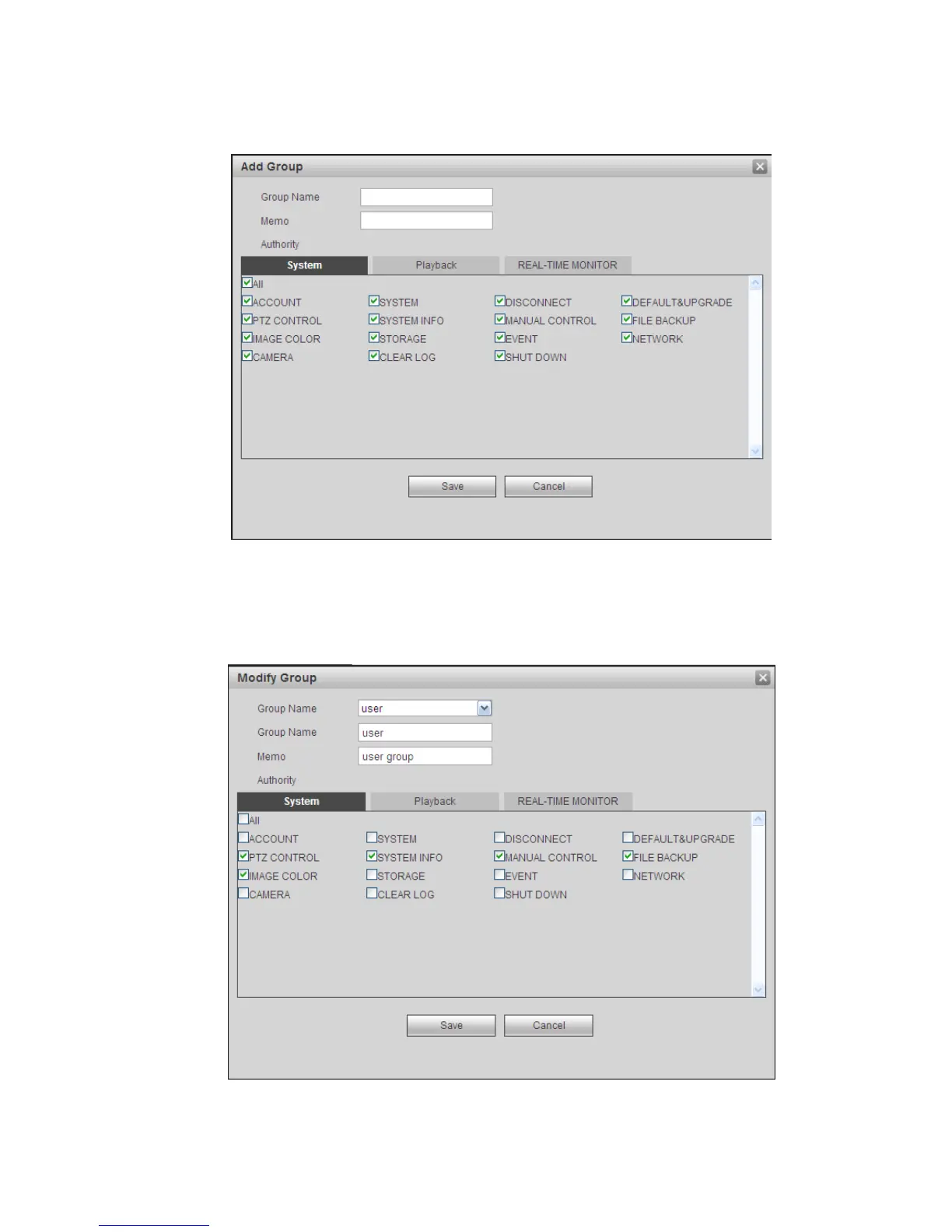
Add group: It is to add group and set its corresponding rights. See Figure 5-92.
Please input the group name and then check the box to select the corresponding rights. It includes:
shutdown/reboot device, live view, record control, PTZ control and etc.
Figure 5-92
Modify group
Click the modify group button, you can see an interface is shown as in Figure 5-93.
Here you can modify group information such as remarks and rights.
Figure 5-93


 To Next Page