114
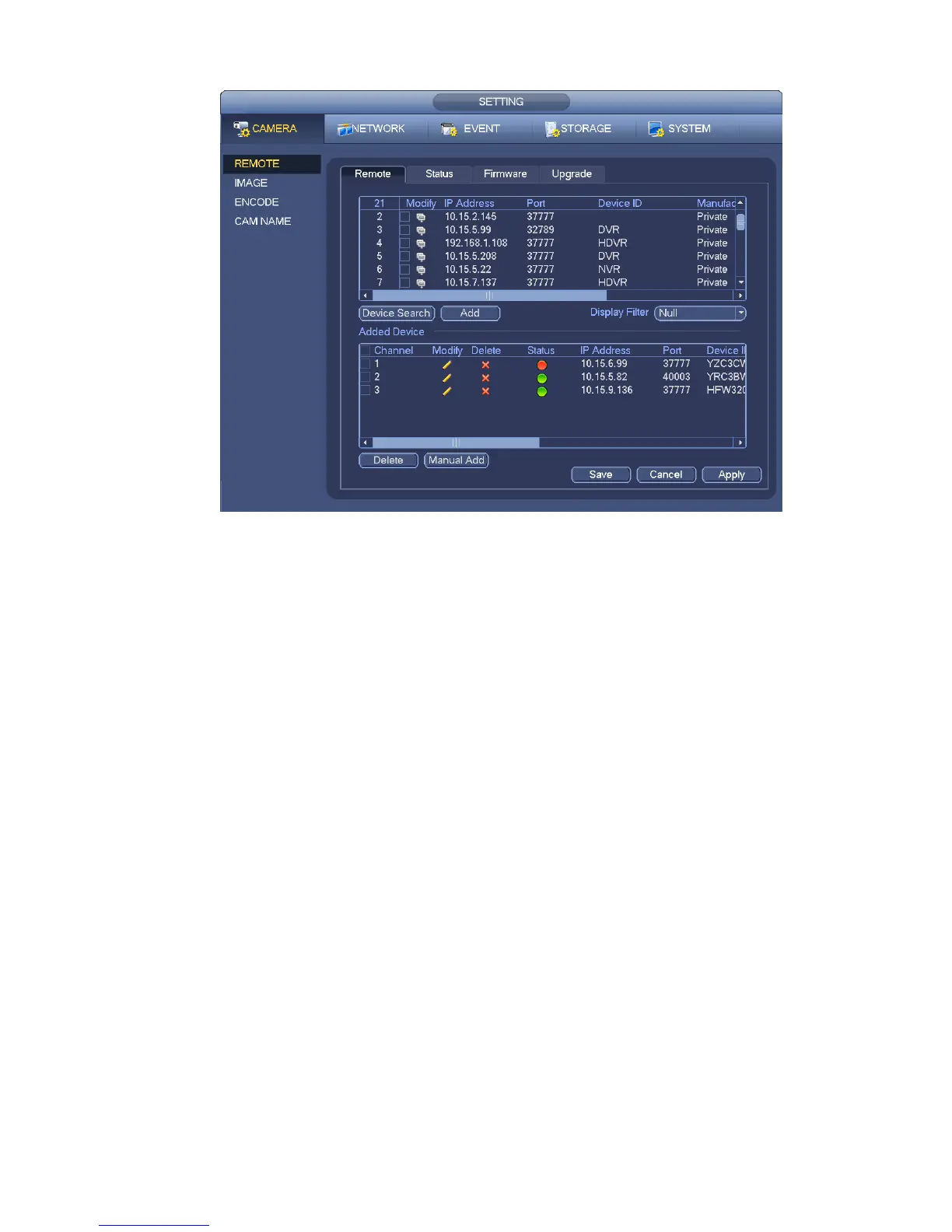
Figure 4-19
Click Device search button, you can view the searched IP addresses at the top pane of the interface.
Double click an IP address or check one IP address and then click Add button, you can add current
device to the bottom pane of the interface. System supports batch add function.
Click Manual Add button, you can add a device directly. Here you can set TCP/UPD/auto connection
mode. The default setup is TCP. See Figure 4-20.
Important
Please note the manual add function is for Panasonic, Sony, Dynacolor, Samsung, AXIS, Arecont,
ONVIF and Custom. When the type is the custom, you can just input URL address, user name and
password connect to the network camera without considering network camera manufacture. Please
contact your network camera manufacturer for the URL address.


 To Next Page