4.2Main Menu
Picture 4-2
4.2.1 Parameter
4.2.1.1 Display
4.2.1.1.1 IP Camera
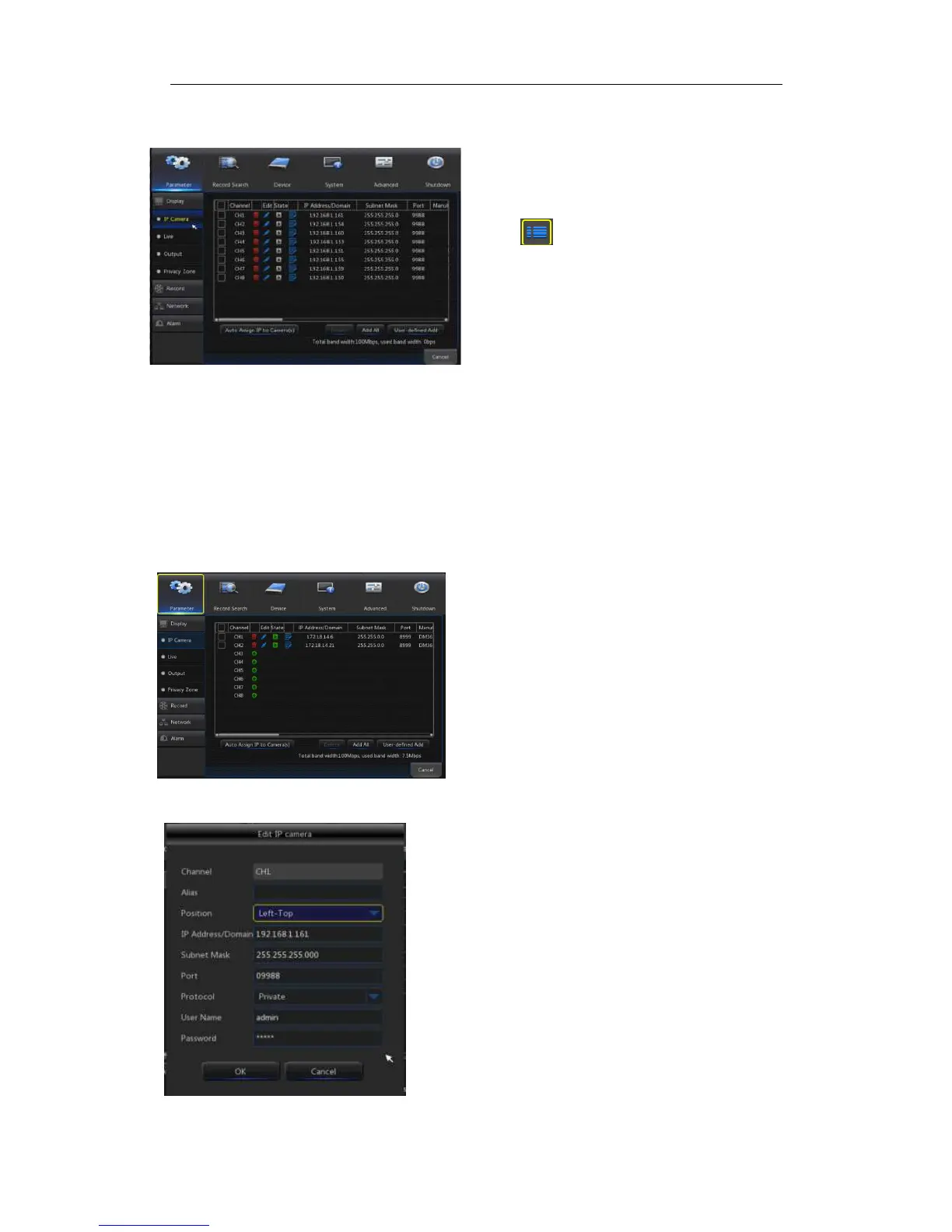
Go to“Main Menu”→“Display”→“IP Camera” to enter into the interface shown as
Picture4-3.
Picture4-3
Picture4-4
On LIVE mode, click the mouse button,
or [Menu] button on the remote controller, or
click [ ] icon on the toolbar to enter the
main menu screen, as shown in Picture 4-2.
If system interface is locked, refer to
section 4.3 to unlock by inputting password.
In Main Menu mode, you can make
settings for Parameter, Record Search,
Device, System, Advanced and Shutdown.
Channel:
::
:IPC camera channel
Edit:
::
:Modify the name and location of channels,
change other IPC or protocols, etc, as shown in
Picture 4-4.
State:
::
:Display IPC on-line state
IP address:
::
:Modify IP address of IPC camera.
IP Address/Domain :
::
: IP address of the IPC
connected of the channel
Subnet Mask:
::
:IPC camera subnet mask
Port:Connection port number of the currently set
IPC.
Manufacturer:Manufacturer for different IPC
Device type:Add IPC with different protocols.
Protocol: The selected access protocol for IPC to
connect to NVR
MAC Address:Physical address for device
Software:Display current version of IPC.



 To Next Page