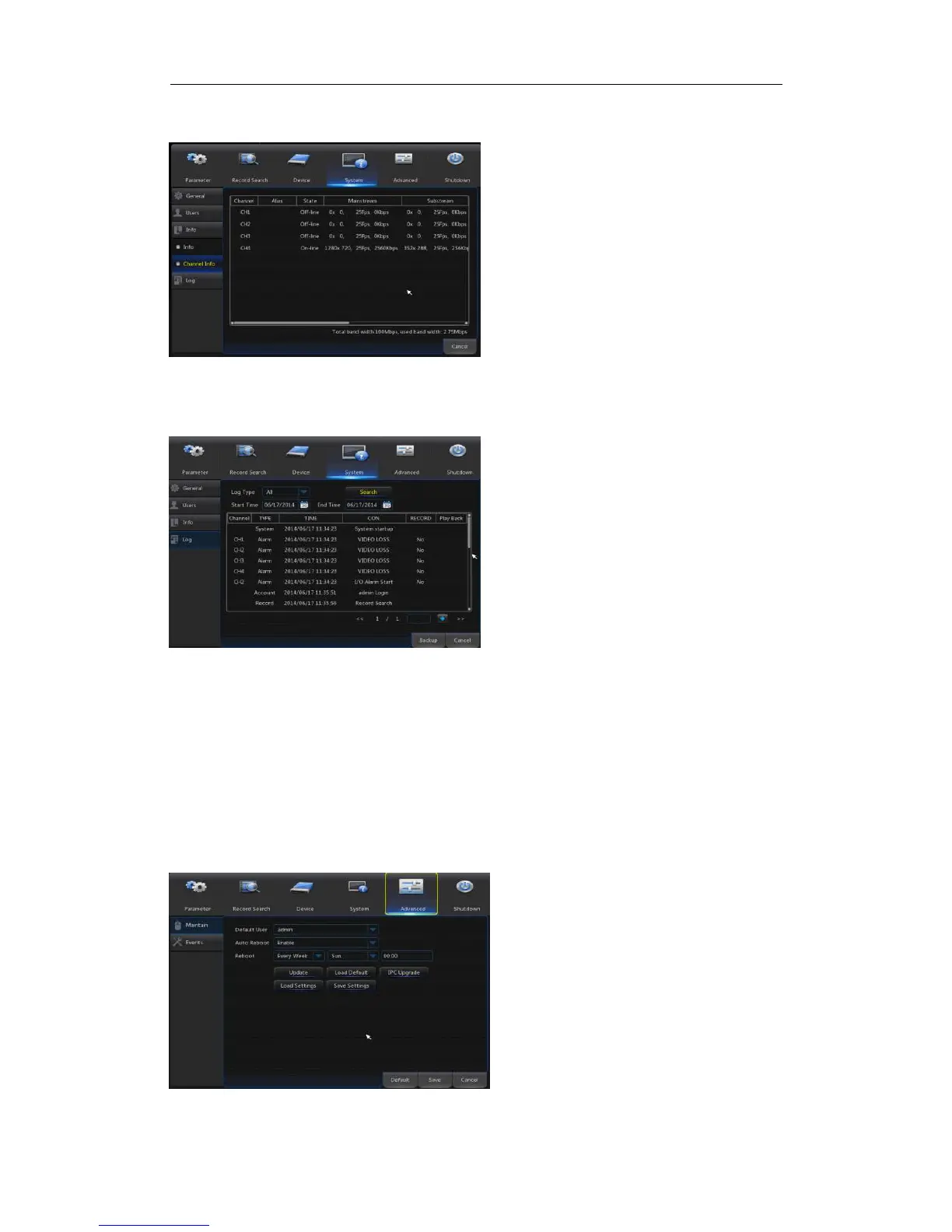
4.2.4.3.2 Channel Info
Go to“Main Menu”→“System”→“Info”→“Channel Info”,as shown in Picture 4-38
Picture 4-38
4.2.4.4 Log
Go to“Main Menu”→“System”→“Log”, as shown in Picture 4-39.
Picture 4-39
User may search log information in different period of time. Click “Backup” to save all the log
information, as shown in Picture 4-39.
4.2.5 Advanced
4.2.5.1 Maintain
Go to“Main Menu”→“Advanced”→ “Maintain” to enter into the interface shown as
Picture 4-40.
Enable the auto
maintenance function to reboot
system regularly at every
day/week/month. When Auto
Reboot is enabled, NVR should
be in the main interface and no
user operation.
Upgrade: Decompress update
file package and copy the
upgrade file folder named
“nvrupgrade”(see Picture 4-57,
the upgrade program is inside) to
root directory of U flash disk;
Insert the U flash disk into USB
port of NVR; Click <Upgrade>.
Picture 4-40
User may view the information
of various connected IPC, including
state, mainstream, substream,
motion detection, privacy zone,
cruise, etc.



 To Next Page